
Three secure networks. One platform. No shared passwords.
Guests on a branded portal, staff signed in as themselves through Entra ID, Google Workspace or Okta, and every till, camera and printer on its own key. All of it on the access points you already own, authenticated in the cloud with a 99.999% uptime SLA.
- 802.1X through cloud RADIUS
- Entra ID, Google Workspace and Okta
- A private key for every device
- Runs on your existing access points
Trusted by IT teams at
















Every system you run has proper identity. Except the WiFi.
Your team spent years putting identity on everything: email, finance, remote access, every SaaS tool. Then there is the WiFi. One password, known by every contractor and every leaver since the day it was set, and never changed because changing it means re-keying every device at every site. It is the biggest shared account in the business, and it usually shows up in four places.
A typical estate today
- One staff password, on a sticky note in the back office and in every leaver's phone
- Tills, card machines, cameras and printers on the same network as laptops and phones
- Contractors on the staff network, and nobody removes them when the contract ends
- Guest WiFi run by someone else, with no record of who connected
With Purple
- Staff sign in with their own directory account, so there is no password to leak
- Every device gets its own key and VLAN, revocable one at a time
- Contractors sit in their own group with narrower access, removed the moment the directory says so
- Guests join through a branded portal on an isolated SSID, with every session logged
Guests, staff and devices, each on the network built for the job
Every business has the same three groups on its WiFi, and one shared password cannot serve any of them properly. Purple gives each group its own network, and runs the authentication behind all three as a cloud service.
Sign in as themselves
802.1X against Microsoft Entra ID, Google Workspace or Okta, through Purple cloud RADIUS. Leave the directory, leave the network.
02 · DevicesA private key for every device
xPSK gives tills, card machines, cameras and printers their own key and VLAN. Revoke one without touching the rest.
03 · GuestsA branded portal, fully isolated
Visitors, customers and residents join on their own SSID and VLAN with nothing internal reachable, and every session logged.
04 · Cloud RADIUSNothing to run on site
Purple operates the RADIUS, certificates and policy in the cloud with a 99.999% uptime SLA. Your access points, switching and directory stay as they are.
One login for email, Teams and WiFi
Staff connect with the account they already use every day. Purple syncs with Microsoft Entra ID, Google Workspace, Okta and JumpCloud over SCIM, and group membership decides which VLAN, ACL and bandwidth policy each person gets. Disable someone in the directory and they are off the WiFi at every site, live sessions included.
- Leavers revoked automatically, with live sessions ended by RADIUS Change of Authorization
- Dynamic VLANs, ACLs and bandwidth limits returned as RADIUS attributes by role, department or site
- EAP-TLS certificates pushed to managed devices through Intune or Jamf Pro, with no app to install
- Personal phones onboarded in about 60 seconds with the Purple app, and both in one report
Contractors are people, not devices. They get their own directory group with narrower access, and they never share a network with the tills.
Explore staff WiFi Staff
StaffA private key for everything that cannot sign in
Tills, card machines, CCTV, printers, smart TVs, door controllers and sensors cannot do 802.1X, so they end up on one shared key that never changes. xPSK gives each device its own key and its own VLAN, bound to the first device that uses it. One compromised camera exposes one key, and you revoke it on its own.
- Revoke a single key without re-keying every device on the estate
- MAC binding ties each key to the first device that uses it
- Works under your vendor's name: iPSK on Cisco, DPSK on Ruckus, MPSK on HPE Aruba and Juniper Mist, PPSK on Extreme and UniFi
- No per-device licence and no cap on devices per key
 xPSK
xPSKGuest WiFi your security team will sign off
Visitors, customers and residents join through a branded captive portal on their own SSID and VLAN, with nothing internal reachable. Every session is logged against a device, time and location, consent is captured to UK GDPR standard, and the marketing team gets its data without ever touching your network.
- Isolated guest SSID and VLAN with client isolation and DNS content filtering
- Eight sign-in methods, from one-tap social login to SMS and voucher codes
- Bandwidth limits, session caps and fair-use rules set per venue from one dashboard
- Consent and audit trail for UK GDPR, with data held in UK, EU or US regions
 Guests
The RADIUS server you never have to patch
Purple runs the authentication for all three networks as a cloud service, replacing on-premises FreeRADIUS or NPS and the single point of failure that comes with it. Access point refreshes need no user reconfiguration, and a record of every connection is ready for your auditors, your insurer and your SIEM.
- 99.999% uptime SLA with multi-region failover, in UK, EU and US regions
- Certificates issued, renewed and revoked for you, with no certificate authority to run
- Every connection logged against a named person or device, exportable to your SIEM
- ISO 27001 certified, Cyber Essentials Plus, and zero data breaches since 2012
Already running 802.1X? Purple covers what it usually leaves behind: certificates that only die at expiry, headless kit on a shared key, contractors on the wrong network and guest WiFi run by someone else.
Explore cloud RADIUS Cloud RADIUS
What it takes to build this in-house, and what it takes with Purple
Everything a network team would stand up to run identity-based WiFi, delivered as a service on the hardware you have.

We are continually looking for new ways to enhance the customer experience, and Purple has helped us do just that, with the added benefit of customer insight
The WiFi stops generating tickets
McDonald's runs Purple across its estate and cut IT helpdesk requests by 80% and physical site visits by 90%, on four million WiFi logins a year. The same platform runs 80,000+ venues in 90+ countries.
Figures from the McDonald's case study, Purple platform data and service terms.
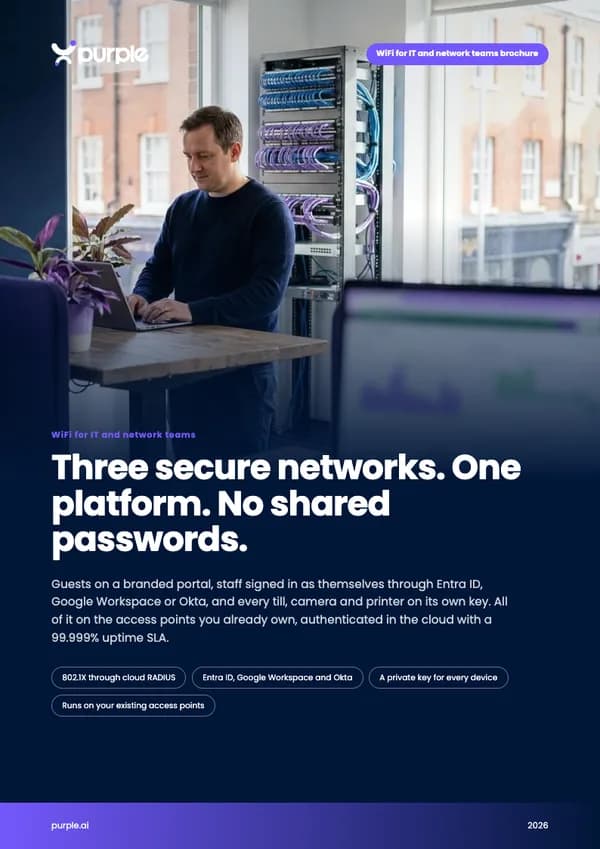
Free brochure
Take this page into your next budget meeting
Everything on this page as an eight-page PDF brochure, ready to share with the people who sign off your network spend.
Get the brochure
Your name and email is all we need. The download appears straight away.
Individual access that ends when someone leaves is written into the standards you are assessed against
A shared WiFi password is not a nice-to-have you can defer. It is a finding waiting to happen.
PCI DSS v4.0.1
Requirement 2.3.2: wireless keys must change whenever anyone who knows them leaves. With a shared password, that is every leaver, every site, every time. With Purple there is no shared key to change, and card machines sit on their own keyed network.
Cyber Essentials
Cyber Essentials expects every account to belong to one person and to be removed when they leave. A shared WiFi password fails both, and your assessor knows it.
UK Cyber Security Breaches Survey 2025
43% of UK businesses were breached or attacked in the last year. For medium businesses it is 67%. For large, 74%. Do not leave the WiFi as the door nobody locks.
Read the government surveyLive on one site in days, not quarters
- 1
A 45-minute design session
Our engineer and whoever owns your network go through your access points, SSIDs, identity provider and devices, and map how the three networks land on your estate.
- 2
One site live
Setup on our side takes hours. On yours, it is one app registration in Entra ID, Google Workspace or Okta, and your existing network stays up while the new ones run beside it.
- 3
Roll it out everywhere
You have seen exactly who and what is on your network. Switch every site over and retire the shared password for good. One price per access point per year covers guests, staff and devices.
Book your 45-minute design session
Bring whoever owns your network. In 45 minutes our engineer maps your access points, SSIDs, directory and devices, and shows you exactly how the three networks land on your estate.
- Works with Cisco Meraki, HPE Aruba, Ruckus, Juniper Mist, Ubiquiti UniFi, Cambium, Extreme and Fortinet
- Single sign-on with Microsoft Entra ID, Google Workspace, Okta and JumpCloud
- ISO 27001 certified, Cyber Essentials Plus, UK GDPR compliant
Book your design session
A 45-minute call with an engineer who runs this every week.
WiFi for IT teams: questions, answered
What network managers ask us most
Why three SSIDs rather than one?
Because every business has three groups on its WiFi, and one shared password cannot serve any of them properly. Guests join through a branded portal on their own SSID and VLAN, fully isolated from everything internal. Staff join as themselves over 802.1X, authenticated against Microsoft Entra ID, Google Workspace or Okta through Purple cloud RADIUS. Tills, card machines, cameras and printers each get their own key. Nobody shares anything, and nobody keeps access after they leave.
Will more SSIDs slow the network down?
No. The full design is three networks: guests, staff, and devices on their own keys. Skip per-device keys and it is two; in education, eduroam makes it four. Three SSIDs is well within what any enterprise access point handles, and most estates end up broadcasting fewer networks than they do today. Our engineer maps your airtime and SSID layout in the design session.
We already run 802.1X. What does Purple add?
Everything 802.1X usually leaves behind. Certificates that outlive the person because they only die at expiry. Tills, printers and cameras that cannot do 802.1X and end up on a shared key. Contractors on the wrong network. Guest WiFi run by someone else entirely. Purple ties every connection to your directory, gives headless kit its own keys, isolates guests, and runs the whole lot as a cloud service on the access points you already own.
Do staff need to install an app?
Not on company devices. Your IT team pushes the WiFi certificate through your MDM, such as Intune or Jamf Pro, and they connect with no app at all. Personal phones use the Purple app, and both show up in one report.
Does it work with our existing access points?
Yes. Purple is a hardware-agnostic cloud overlay over standard RADIUS. It runs on Cisco Meraki, Cisco Catalyst, HPE Aruba, Ruckus, Juniper Mist, Ubiquiti UniFi, Cambium, Extreme and Fortinet. Mixed estates are no problem, so staff get one login that works at every site. Nothing to rip out, nothing to buy.
How does this help with PCI DSS?
PCI DSS v4.0.1 requirement 2.3.2 says wireless keys must change whenever anyone who knows them leaves. With a shared password that means re-keying every site, every time someone goes. With Purple there is no shared key to change: staff access ends with their directory account, and card machines sit on their own keyed network. Purple never touches payment card data.
How is it priced?
Per access point per year, and one price covers guests, staff and devices. Start with one site, see exactly who and what is on your network, then roll it out everywhere.
Go deeper
The products behind it
- Staff WiFi802.1X against your directory, through Purple cloud RADIUS.
- xPSKA private key and VLAN for every device that cannot sign in.
- Cloud RADIUSThe RADIUS service, certificates and policy, run for you.
- Identity-based networkingWhy the fix is no shared password, not a better one.
- Hardware integrationsConfiguration guides for every supported access point vendor.
Customer stories
- McDonald's80% fewer IT helpdesk requests and 90% fewer physical site visits on 4m WiFi logins a year.
- BanorteBranch WiFi as an app growth channel: 5.7m customer journeys and 2m survey responses in 2025.
- Newcastle City Council2.3 million logins, an 88% authentication rate and free WiFi for 1,000 local SMEs.