
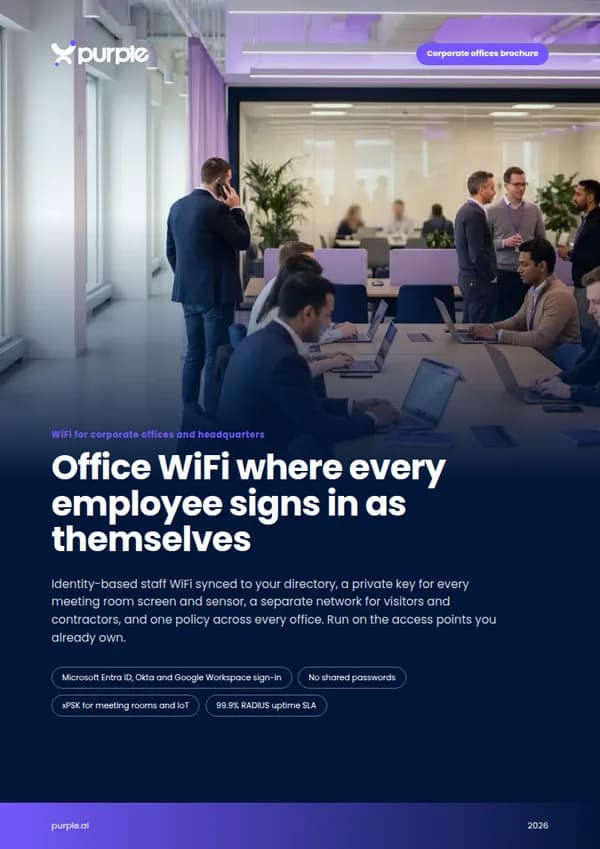
Office WiFi where every employee signs in as themselves
Identity-based staff WiFi synced to your directory, a private key for every meeting room screen and sensor, a separate network for visitors and contractors, and one policy across every office. Run on the access points you already own.
- Microsoft Entra ID, Okta and Google Workspace sign-in
- No shared passwords
- xPSK for meeting rooms and IoT
- 99.9% RADIUS uptime SLA

Your security stack is zero trust. Your office WiFi still runs on a shared password.
Most enterprises have moved email, apps and laptops onto single sign-on and conditional access. The office WiFi is often the last system still protected by a password on a meeting room wall. That gap usually shows up in four places.
A typical office today
- One staff WiFi password, sent in a welcome email and never rotated
- Leavers and former contractors who can still connect weeks after they have gone
- Room displays, printers and cameras on the same network as employee laptops
- No good answer when an auditor asks who was on the network last Tuesday
With Purple
- Every employee signs in with their own Entra ID, Okta or Google Workspace account
- Access ends the moment an account is disabled in your directory, synced over SCIM
- Every device gets its own key and VLAN, kept apart from people
- Every session is logged against a named person, device, time and location
Every employee, visitor and device in your offices, each on the right network
Staff, devices, visitors and every site in your estate, run from one dashboard on cloud RADIUS, with no NAC project to scope.
Sign in with the work account
Identity-based WiFi through Entra ID, Okta or Google Workspace. Joiners get access on day one, leavers lose it automatically.
02 · Meeting rooms and IoTA private key for every device
xPSK gives room displays, printers, cameras and sensors their own key and VLAN, revocable one at a time.
03 · Visitors and contractorsGuest access that never touches corporate
A branded sign-in for visitors with UK GDPR consent, and time-limited keys for contractors, each on its own network.
04 · Multi-site estatesOne policy across every office
Employees connect automatically at any site over Passpoint, on mixed hardware, managed from a single pane of glass.
Joiners, movers and leavers, handled by your directory
Employees connect with the account they already use for everything else. Purple syncs with Microsoft Entra ID, Okta, Google Workspace and JumpCloud over SCIM, group membership decides VLAN and policy, and Entra ID Conditional Access is honoured on every join.
- Leavers are revoked the moment their account is disabled, with no password to change
- Finance, engineering and executive groups land on their own VLANs with their own rules
- Corporate laptops get EAP-TLS certificates through Intune, Jamf, Kandji or Hexnode
- Personal phones are onboarded in about 60 seconds with the Purple app
Purple issues, renews and revokes the certificates itself, so there is no certificate authority and no on-premise RADIUS server to stand up.
Explore staff WiFi Staff WiFi
A private key for everything in the meeting room
Meeting room displays and AV kit, printers, door controllers, cameras and building sensors cannot sign in with a username. xPSK gives each one its own key and its own VLAN, so a leaked key exposes one device, not the whole floor.
- Revoke a single key without re-keying every device in the building
- MAC binding ties each key to the first device that uses it
- Works under your vendor’s name: iPSK on Cisco, DPSK on Ruckus, MPSK on HPE Aruba and Juniper Mist, PPSK on Extreme and UniFi
- No per-device licence and no cap on devices per key
 xPSK
xPSKVisitors online in reception, nowhere near your corporate network
Clients, interview candidates, auditors and suppliers expect WiFi from the moment they sit down in reception. Contractors need more than that, for weeks at a time. Purple gives each their own network, kept entirely separate from staff and device traffic.
- Branded captive portal with UK GDPR consent and a full audit trail
- Time-limited contractor keys that expire on their own, with no MDM enrolment
- DNS content filtering with Purple Shield, on guest and staff networks
- Sign-in data sent to your CRM through 400+ data connectors
 Visitors
Walk into any office and you are already online
Employees who move between headquarters, regional offices and project sites should not have to find a new network at each one. A WiFi Pass, issued once, connects them automatically over Passpoint at every site in your estate, encrypted from association and with no captive portal.
- Profiles are bound to identity, so they survive iOS 18 MAC address rotation
- One policy and one dashboard across offices with different access point vendors
- Cloud RADIUS regions in the UK, EU and US
- OpenRoaming via Passpoint reaches more than 5 million hotspots worldwide
 Passpoint
What enterprise WiFi access takes to build yourself, and what it takes with Purple
Everything a NAC project would ask of your network team, delivered as a service on the hardware you already have.

Fewer WiFi tickets, and an answer for every auditor
The business case is the one your security team already wants: helpdesk tickets down, leaver risk closed automatically, and every connection tied to a named identity when the auditors arrive.
Figures from Purple platform data and service terms.
Free brochure
Take this page into your next budget meeting
Everything on this page as an eight-page PDF brochure, ready to share with the people who sign off your network spend.
Get the brochure
Your name and email is all we need. The download appears straight away.
Live without new hardware
- 1
Connect your directory
Link Microsoft Entra ID, Okta or Google Workspace. Employee and contractor groups sync over SCIM.
- 2
Point your access points at Purple
We configure the staff, device, visitor and contractor networks on the access points already in your offices.
- 3
Roll out site by site
Start with headquarters or the office with the most pain, then add the rest of the estate from the same dashboard.
See your office estate on one network platform
Tell us about your offices and your directory, and we will show you how staff, device, visitor and contractor access would work on your hardware.
- Works with Cisco Meraki, HPE Aruba, Ruckus, Juniper Mist, Ubiquiti UniFi, Cambium, Extreme and Fortinet
- Single sign-on with Microsoft Entra ID, Okta and Google Workspace
- ISO 27001 certified, Cyber Essentials Plus, GDPR and CCPA compliant
Book an office demo
A 30-minute call with someone who knows enterprise networks.
Corporate office WiFi questions, answered
What IT, network and security teams ask us most
Do we need to replace our access points?
No. Purple layers on top of the access points you already own, including Cisco Meraki, HPE Aruba, Ruckus, Juniper Mist, Ubiquiti UniFi, Cambium, Extreme and Fortinet. There is no on-premise RADIUS server to install.
Does Purple replace our NAC?
No. Purple is not a NAC and works alongside one if you have it. For organisations that cannot justify a full NAC project, it delivers identity-based access, cloud RADIUS and certificate management as a service.
Which identity providers do you support?
Microsoft Entra ID, Okta, Google Workspace and JumpCloud sync over SCIM, and SAML and LDAP directories are supported too. Group membership decides which VLAN and policy each person gets, and Entra ID Conditional Access is honoured on each join.
What happens when an employee leaves?
When their account is disabled in your directory, SCIM revokes their WiFi access automatically. They cannot reconnect, and there is no shared password to change across the estate.
How do meeting room displays, printers and sensors connect?
With xPSK. Each device gets its own key and VLAN, bound to the first device that uses it. You can revoke one key without touching any other device, and there is no per-device licence.
How do visitors and contractors get online?
Visitors use a branded captive portal with UK GDPR consent, on a network kept separate from staff and devices. Contractors get time-limited keys that expire on their own, with no MDM enrolment needed.
Where is our data held, and how is it secured?
Purple has RADIUS regions in the UK, EU and US, is ISO 27001 certified and Cyber Essentials Plus accredited, is GDPR and CCPA compliant, and has had zero data breaches since 2012.
Featured products for Corporate offices
The Purple platform pieces most Corporate offices venues deploy on day one.
Guest WiFi platform for Corporate offices
Captive Portals, analytics, and marketing automation as a cloud overlay.
Captive Portal software for Corporate offices
Modern Captive Portals with social login, SSO, and marketing consent.
Passwordless WiFi for Corporate offices
EAP-TLS, iPSK, and Passpoint - replace shared passwords with identity.
Recommended solution for Corporate offices
WiFi for IT & network teams. Cloud Captive Portals, RADIUS, and analytics layered on top of Cisco, Aruba, Juniper Mist, Meraki, and Ubiquiti.
See WiFi for IT & network teams →Related pillar guides
The topical pillars most relevant to Corporate offices. Each guide is the canonical hub for that area of the platform.
Enterprise WiFi security
WPA3 Enterprise, 802.1X, EAP-TLS, iPSK, and cloud RADIUS for staff networks that pass audit.
WiFi analytics
Presence and engagement analytics, footfall, dwell, and GDPR-defensible measurement.
Captive portal
How the WiFi sign-in works, the eight authentication methods, and the join surface technical detail.
Further reading for Corporate offices
Technical guides, articles and customer stories for teams running WiFi in this sector.
Guides for Corporate offices
- Designing WiFi Networks for Multi-Tenant Office Buildings
- Roaming Optimisation for VoIP and Video Calls on Corporate WiFi
- Certificate-Based Authentication for Corporate Devices (EAP-TLS)
- The Hidden Cost of Telemetry Data on Corporate WLANs
- Resolving Roaming Issues in Corporate WLANs
- Best 5GHz Channels for High-Density Corporate Networks
- Office WiFi Setup: How to Build a Reliable Wireless Network
- Managing BYOD (Bring Your Own Device) Security on Staff Networks
Related industries
Other verticals running on the same Purple platform.
Speak to an expert
Tell us about your venues and we'll show you how Purple fits.