Best best wifi channels 5ghz: A Practical Guide For Peak Performance

So, you’re looking for the fastest and most stable performance from your 5GHz network? Your best bet is usually to pick non-overlapping channels like 36, 40, 44, and 48. If you want to really open up the throttle, the less-crowded DFS channels, such as 100, 104, 108, and 112, are even better.
But here’s the thing: the single best channel isn’t a magic number. It's always the one with the least interference in your specific location.
Finding Your Best 5GHz WiFi Channel Right Now
Choosing the right 5GHz channel feels a lot like picking a lane on the motorway. Some lanes are always available, but they’re often jammed with traffic, slowing everyone down. Others are wide open, but you need to follow a few special rules to use them. Understanding this layout is the first step to unlocking a faster, more reliable wireless network.
The most common channels you’ll see—36, 40, 44, and 48—belong to what's known as the UNII-1 band. Because they don’t have complex requirements, just about every WiFi device defaults to using them. This universal compatibility is their biggest strength, but it’s also their greatest weakness.
This is especially true in dense environments like apartment buildings, hotels, or busy offices, where dozens of networks are all competing for the same slice of airtime. This competition leads to co-channel interference, where your router has to "wait its turn" to send data, which can seriously drag down your speed and stability.
Moving Beyond The Default Channels
To escape this digital traffic jam, you can look towards the DFS (Dynamic Frequency Selection) channels. These are channels like 100 through 128, which are often completely empty because they share the spectrum with radar systems (like weather radar). To use them, your router must be certified to detect radar signals and automatically switch channels if it finds any.
That requirement often scares people off, but in most places, radar events are pretty rare. The trade-off is huge: you get access to a much cleaner, wider part of the spectrum, which is exactly what you need for high-performance networking.
Think of it this way: the standard channels are a public road everyone uses, while DFS channels are like a private, well-maintained toll road. There's a small condition for entry, but once you're on, the journey is much faster and smoother.
To help you visualise the options, we've put together a quick breakdown of the main 5GHz channel groups and where they fit best.
5GHz WiFi Channel Groups At A Glance
This table offers a quick comparison of the main 5GHz channel groups, highlighting their common uses and performance trade-offs. It's a great starting point for figuring out which channels make the most sense for your environment.
Ultimately, finding the best 5GHz WiFi channel isn't about memorising a number, but about making an informed decision based on your surroundings. If you just need something that works, starting with the standard channels is fine. But for peak performance in a crowded space, the DFS channels are almost always the superior choice.
How The 5GHz WiFi Spectrum Actually Works
To really nail down the best 5GHz WiFi channel, you first have to understand the landscape you're playing in. The easiest way to think about the 5GHz spectrum is like a dedicated, multi-lane motorway for your data. In this analogy, the WiFi 'channels' are the individual lanes, and 'channel width' is all about how many of those lanes your data can use at once.
Imagine you could use four lanes on the M1 all to yourself. That's what a wide channel, like 80MHz, is trying to do. It lets you hit incredible speeds, but it also hogs a huge amount of space. This is brilliant if you're in a quiet, rural area, but it's a recipe for a massive traffic jam in a busy city centre where every other network is fighting for its own slice of the airwaves.
Understanding UNII Bands And UK Regulations
The 5GHz spectrum isn't just one big, open road. It's neatly divided into sections called Unlicensed National Information Infrastructure (UNII) bands. Here in the UK, the communications regulator Ofcom has laid down some very clear rules on how these bands can be used, and that has a direct impact on which channels you can and should choose.
This graphic really helps to visualise the difference between the standard, often crowded channels and the less-congested DFS channels that are also available.
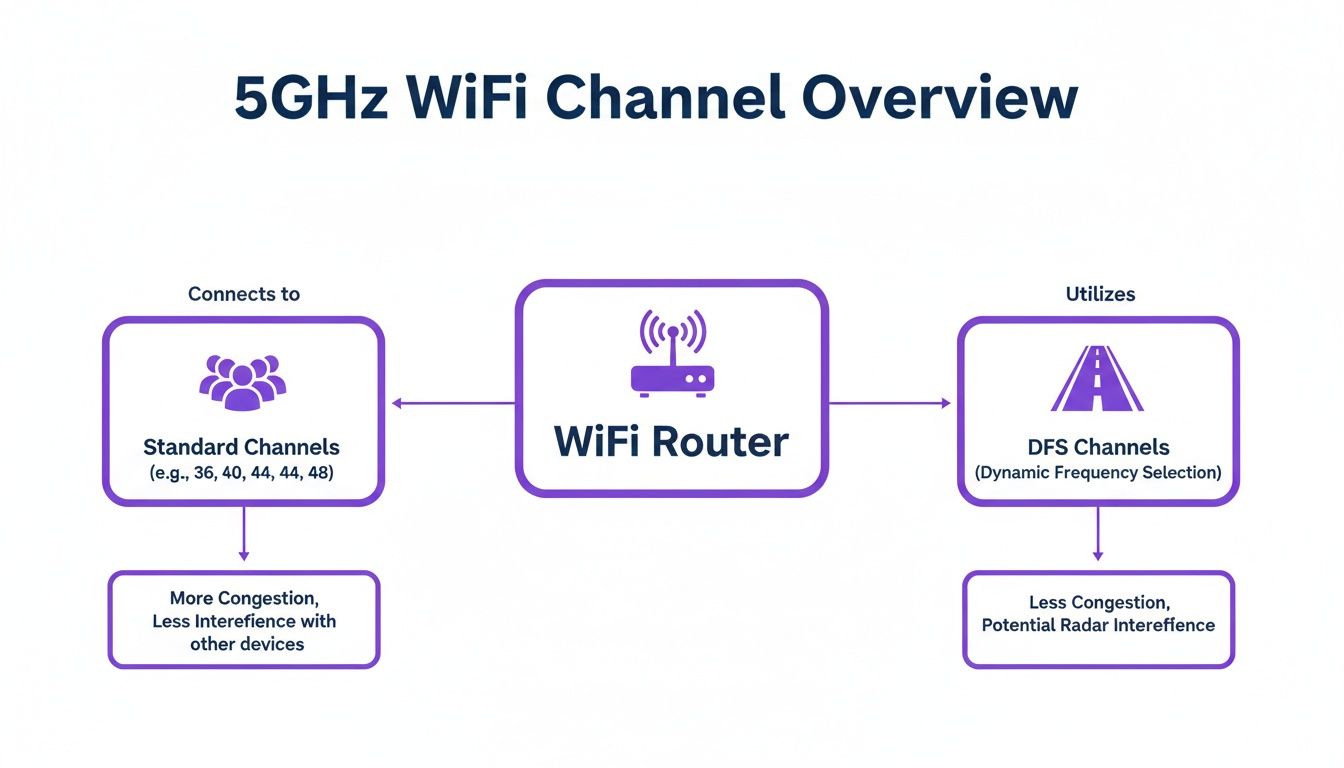
As you can see, sticking to the standard channels can feel a bit like being stuck in rush-hour traffic. The DFS channels, on the other hand, often offer a much clearer path, which presents a strategic choice for any network admin.
Specifically, Ofcom has split the UK's 5GHz spectrum into two main bands for us to use. Band A (channels 36-64) is for indoor use only and has a lower power limit, while Band B (channels 100-140) can be used both indoors and out, and at a higher power. This is a critical piece of the puzzle, as it dictates where and how you can physically place your access points.
Demystifying Dynamic Frequency Selection
So, what's the big difference between these bands? It all comes down to a clever system called Dynamic Frequency Selection (DFS). You see, the channels in Band B share their airtime with some pretty important radar systems, like those used for weather forecasting and by the military. DFS is a mandatory feature that acts as a polite traffic warden, making sure your WiFi doesn't step on their toes.
Think of DFS as a 'yield to emergency vehicles' rule for your WiFi. Your access point is constantly listening for radar signals. If it hears one, it immediately vacates the channel to keep the frequency clear—just like you'd pull over for an ambulance.
This does mean there's a short delay when an access point first boots up on a DFS channel, as it has to listen for at least 60 seconds to make sure the coast is clear. It might sound like a bit of a hassle, but it's a tiny price to pay for gaining access to a huge, often empty, stretch of the WiFi motorway.
Why Channel Width Matters
Okay, so you've picked a channel. The next decision is the channel width. The most common options you'll see are 20MHz, 40MHz, and 80MHz. Here’s the simple breakdown:
- 20MHz: This is your narrow, single-lane road. It’s the most stable option and causes the least amount of interference to your neighbours. This makes it perfect for incredibly dense environments like stadiums, conference halls, or busy retail spaces where you have lots of access points close together.
- 40MHz: This gives you a good balance of speed and stability, like a dual carriageway. It doubles the potential speed of a 20MHz channel without gobbling up too much spectrum. It's a solid, reliable choice for many enterprise and hospitality networks.
- 80MHz: This is the four-lane motorway we talked about—offering the highest potential speeds but at a real cost. An 80MHz channel is so wide it takes up the same space as four separate 20MHz channels. In a crowded area, this is a recipe for creating huge interference and can actually make your network perform worse.
Getting these fundamentals right is the absolute key to building a network that’s both fast and reliable. This knowledge is the foundation of modern standards like WiFi 5 (802.11ac), which depends heavily on making smart choices in the 5GHz band. It lets you move past the default "auto" settings and start making strategic decisions that deliver real results.
Surveying Your Airspace To Find Clear Channels
Choosing a 5GHz WiFi channel without any data is like driving with your eyes closed. You might get lucky and stay on the road, but you’re far more likely to run into trouble. To move from pure guesswork to a smart, data-driven strategy, you need to perform a WiFi site survey to see what’s actually happening in your local airspace.
This isn’t just a task for seasoned networking pros. With the right tools, anyone can get a clear picture of their wireless environment, quickly identifying which channels are saturated with traffic and which are wide open for the taking. A proper survey is the single most critical step in finding the best 5GHz WiFi channels for your specific location.
Choosing Your WiFi Survey Tools
You don't need a massive budget to start analysing your airspace. There are excellent tools available for every level, from free and accessible mobile apps to professional-grade software suites. The goal is always the same: to visualise the invisible world of WiFi signals all around you.
Here are a few popular options to get you started:
- Accessible Scanners: Tools like inSSIDer for desktops or WiFi Analyzer for Android phones are a fantastic entry point. They scan for nearby networks and display them in an easy-to-read graph, showing which channels they occupy and the strength of their signals.
- Professional Suites: For enterprise environments, software like Ekahau is the industry gold standard. These tools go way beyond simple scanning, allowing for predictive modelling, heat-mapping signal coverage, and deep spectrum analysis to sniff out all sources of interference, not just other WiFi networks.
What To Look For During Your Scan
Once you have your tool up and running, you'll be presented with a wealth of information. The key is to cut through the noise and focus on a few critical metrics that tell you the most about your environment's health, helping you make a smart channel choice.
First and foremost is co-channel interference. This is what happens when multiple networks are all trying to talk on the same channel. Your survey tool will show this as a pile-up on specific channels—these are the ones you want to avoid at all costs.
You should also pay close attention to signal strength, which is measured in RSSI (Received Signal Strength Indicator). This value, expressed in negative decibels per milliwatt (-dBm), tells you how "loud" other networks are. A signal at -45dBm is very strong, while one down at -85dBm is extremely weak. Loud neighbouring networks on or near your chosen channel are a major source of performance problems.
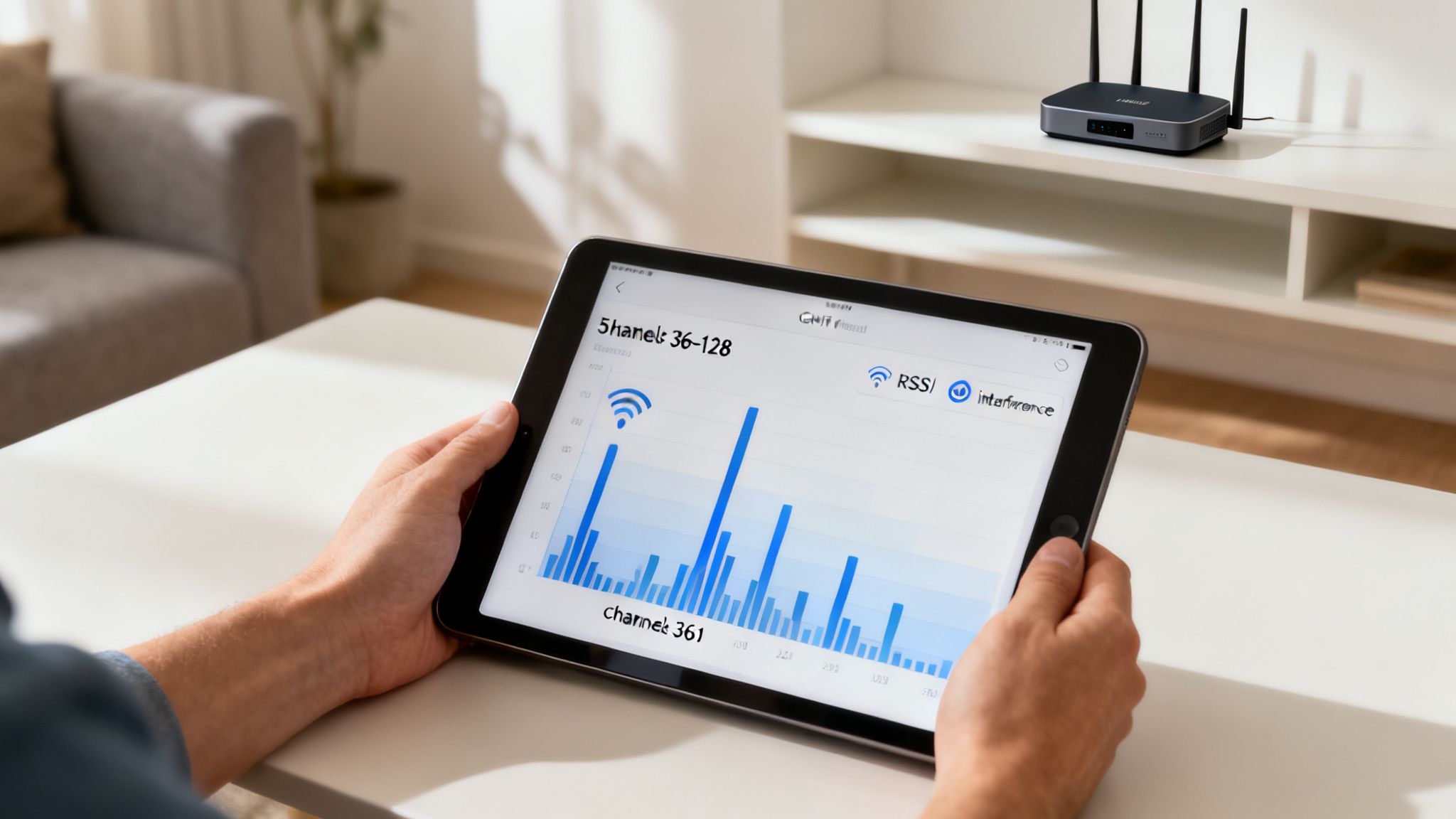
This image shows exactly what you’re looking for—a visual map of nearby networks, their signal strengths, and the channels they are using. The graph clearly highlights how certain channels are heavily congested, while others have less traffic, making them much better candidates for your own network.
A Practical Workflow For Finding The Best Channel
Armed with the right tool and a bit of knowledge, you can follow a simple process to identify the optimal channel for your network. This data-driven approach is fundamental to deploying stable WiFi, especially when planning for high-density WiFi environments where every slice of spectrum matters.
The golden rule of site surveys is to measure during peak usage. A scan performed in an empty office at midnight is useless. You need to see what your airspace looks like when it's at its absolute busiest to make an informed decision.
Follow these steps for an effective survey:
- Scan During Peak Hours: Run your chosen WiFi analyser during the busiest time of day for your location. This gives you an accurate picture of real-world network congestion.
- Identify Congested Channels: Look at the visual graph to see which 5GHz channels have the most networks operating on them. Pay special attention to channels with strong competing signals (RSSI values closer to zero).
- Pinpoint Clear Channels: Find the channels with the fewest competing networks, or those with only very weak signals. You'll often find that the DFS channels (100-144) appear much clearer than the standard non-DFS channels (36-48).
- Select Your Channel and Width: Choose one of the clear channels you've identified. Based on the level of congestion, select an appropriate channel width—sticking to 20MHz or 40MHz is usually the safest and most stable option in a crowded environment.
Choosing The Right Channels For Your Environment
Knowing the theory behind 5GHz channels is one thing, but putting it into practice in the real world is where you'll see a genuine jump in performance. The "best" Wi-Fi channel isn't some magic number; it’s a strategic choice that depends entirely on your physical space, how many people are using it, and what they need to do online. Shifting from guesswork to a deliberate channel plan is how you deliver a wireless experience people can actually rely on.
A solid strategy begins by matching what you need with the spectrum you have. A quiet, low-density office might do just fine sticking to the standard channels, but a packed hotel lobby will almost certainly fall over without tapping into the cleaner airspace that DFS offers.
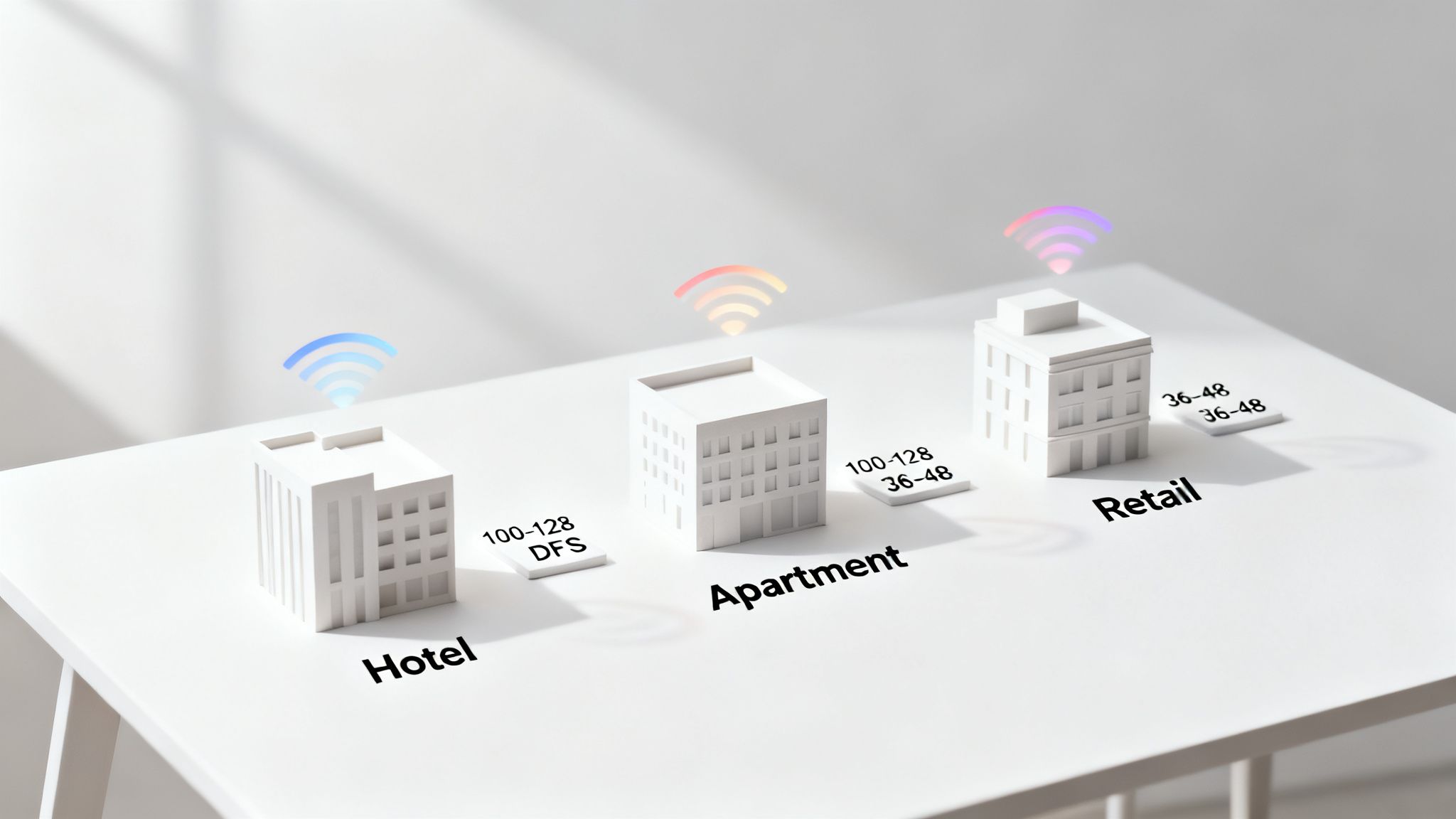
Let's walk through some actionable blueprints for a few common—and often challenging—scenarios.
High-Density Hospitality Environments
In a busy hotel, guest satisfaction lives and dies by the quality of the Wi-Fi. You have hundreds of devices—smartphones, laptops, smart TVs—all fighting for bandwidth at the same time. In a situation like this, relying on the standard non-DFS channels (36-48) is a recipe for disaster. They will be completely swamped, not just by your own access points but by every guest's personal hotspot too.
The only real solution is a DFS-centric channel plan.
- Channel Selection: Make the DFS channels in Band B your top priority. Think 100, 104, 108, and so on. This instantly moves your network out of the noisy, congested lower channels.
- Channel Width: Keep it conservative with a 40MHz channel width. Sure, 80MHz is faster on paper, but in a crowded space, it eats up too much spectrum and dramatically increases the chances of your own access points interfering with each other.
- Access Point Placement: A meticulous site survey is non-negotiable. You need to ensure solid coverage without excessive signal overlap, which allows for smart channel reuse with minimal interference.
This approach gives you enough non-overlapping channels to support a high number of access points, delivering a consistent and stable experience for every guest, whether they're in the lobby or their room.
Multi-Tenant Buildings And Apartments
The single biggest headache in multi-tenant buildings is interference from neighbours. Every resident has their own router, and most will be sitting on the default, non-DFS channels. This creates a chaotic radio frequency environment where networks are in a constant battle for airtime.
A coordinated channel plan is the key to bringing order to the chaos. For property managers offering managed Wi-Fi, this is a huge value-add.
A well-managed channel plan in a multi-tenant building can be the difference between a frustrating, unreliable service and a premium amenity that attracts and retains residents. It's about creating order out of wireless chaos.
Here’s the game plan:
- Centralised Management: Use a managed Wi-Fi system to take control of the channels for every access point in the building.
- Staggered Channel Plan: Design a channel reuse pattern that avoids putting adjacent apartments on the same channel. For instance, you could alternate between channels 36, 44, 100, and 108.
- Client Isolation: This is a critical security step. Implement client isolation to stop devices in one apartment from "seeing" or interfering with devices in another.
This ensures each resident gets their own clean slice of the spectrum, which massively improves performance and security for everyone. While understanding channel specifics is vital, you can get even more out of your network by learning how to improve Wi-Fi coverage and apply broader strategies.
Sprawling Retail Centres
A large retail centre is a mix of completely different environments all under one roof. You have low-traffic corridors, standard shop units, and then incredibly high-density zones like food courts or event spaces. A one-size-fits-all channel plan just won't cut it.
The answer is a blended, or hybrid, strategy. Site surveys in the UK consistently show that 5GHz channels 36-48 (Band A) are heavily congested in urban areas, often hitting 100% utilisation in hotspots. Meanwhile, DFS channels 100-144 can offer 3-5x clearer spectrum. In packed locations like shopping malls, this congestion causes the lower channels to suffer from overlapping signals, which can crush average speeds from over 500Mbps down to under 100Mbps.
Here’s how to tailor your plan zone by zone:
- Low-Traffic Areas: In quiet corridors or individual stores, you can safely use standard non-DFS channels like 36 and 44 with a 40MHz width.
- High-Density Zones: For the food court, anchor stores, or central atriums, deploy access points running exclusively on DFS channels (100-128). Use a narrower 20MHz width here to maximise the number of available channels and keep interference to a minimum.
By matching your channel strategy to the specific needs of each area, you can build a robust network that handles the varied demands of a modern retail environment. This ensures a seamless experience for shoppers, staff, and all the back-of-house operational systems.
Advanced Optimisation And Common Pitfalls To Avoid
Moving from a basic setup to a truly high-performing network means learning to navigate a few common but significant pitfalls. For anyone managing a mission-critical wireless environment, these details matter immensely. Getting them right is what separates a reliable network from one that constantly causes frustration.
The most frequent mistake I see is people trusting their hardware's "auto-channel" feature. While it sounds helpful, this setting is often programmed for maximum compatibility, not maximum performance. It will almost always favour the standard non-DFS channels like 36 and 48 because it’s the safest bet to avoid any potential DFS events. The result? Your network needlessly throws itself into the most congested part of the 5GHz spectrum, guaranteeing a struggle against interference.
The Problem With Going Too Wide
Another common misstep is the temptation to use the widest possible channel widths—80MHz or even 160MHz—to chase the highest theoretical speeds. In a low-density environment like a detached home, this can work brilliantly. However, in any dense commercial or residential setting, this strategy will backfire spectacularly.
Using an 80MHz channel is like parking a lorry across four parking spaces. You've taken up a huge amount of the available spectrum, which dramatically increases the likelihood of creating co-channel interference for your own network. This can cripple performance, leading to a connection that is slower and less stable than if you had used a more conservative channel width.
For most high-density business networks, a narrower 40MHz channel width provides a much better balance of speed and stability. It delivers excellent throughput without consuming an excessive amount of spectrum, allowing more access points to operate cleanly in the same physical space.
Setting Realistic Expectations For DFS
Dynamic Frequency Selection (DFS) is an essential tool for unlocking cleaner airspace, but it comes with behaviours you must understand to manage expectations. The main thing to be aware of is the brief connectivity drop that occurs when an access point detects a radar signal and must vacate the channel.
A DFS event is not a network failure; it is the network operating exactly as designed. It’s a small, automated course correction to ensure your WiFi doesn’t interfere with critical radar systems, and it's a tiny price to pay for access to a vast, uncongested spectrum.
These events are rare in most geographical areas. When one does happen, the brief interruption—usually lasting about a minute as the access point scans and moves to a clear channel—is far less damaging to the user experience than the constant, grinding slowdown caused by permanent channel congestion. For a business, the performance gains from using DFS channels far outweigh the minimal risk of an occasional, automatic channel hop.
This kind of strategic thinking goes beyond just channel selection. As networks become more complex, factors like the number of wireless networks you broadcast can also impact performance. To learn more, you might be interested in our article exploring if extra SSIDs really slow you down.
Final Recommendations For A Resilient Network
Building a truly resilient and high-performing wireless infrastructure boils down to making deliberate, data-driven choices. Escaping the default settings and understanding the real-world trade-offs is the key.
Here are the crucial takeaways for advanced optimisation:
- Avoid "Auto-Channel": Always perform a site survey and manually set your channels based on real-world data to avoid the most congested frequencies.
- Use Appropriate Widths: Resist the urge to use 80MHz or 160MHz in dense environments. Stick to 20MHz or 40MHz for a more stable and reliable network.
- Embrace DFS Strategically: Understand that DFS is a powerful tool for escaping interference. Treat its behaviour as a planned feature, not a flaw.
By avoiding these common pitfalls and applying a more nuanced approach, you can engineer a network that delivers the speed and reliability your users expect, even in the most challenging wireless environments.
Your Path to a Faster, More Reliable Network
Choosing the best 5GHz WiFi channel isn't a "set it and forget it" task. It's an ongoing process of monitoring and fine-tuning. If there’s one thing to take away from all this, it’s that you have to stop guessing and start measuring your actual wireless environment.
By taking the time to survey your local airspace, you can move beyond the crowded default channels and make a properly informed decision. Getting to grips with the trade-offs between the standard non-DFS channels and the cleaner, but more complex, DFS spectrum is the key to building a network that just works.
Tailoring Your Network Strategy
A successful channel plan is always tailored to the specific venue. What works for a bustling hotel will be completely different from the needs of a multi-tenant apartment block or a sprawling retail centre. Each scenario demands a unique approach to channel selection and width to manage interference and keep users happy.
A stable, high-performing WiFi foundation is the bedrock of modern business operations. It enables everything from seamless guest experiences to secure, identity-based access for staff and tenants.
Ultimately, a rock-solid network is no longer a luxury—it's a fundamental requirement. It underpins critical operations, boosts customer satisfaction, and provides the secure backbone needed for modern identity-based networking solutions. Your journey towards a faster, more reliable network starts now, by making smarter, data-driven channel choices.
Frequently Asked Questions
When you start digging into the details of 5 GHz Wi-Fi, a few common questions always seem to pop up. Let's tackle them head-on with some straightforward answers to help you fine-tune your network and choose the best 5 GHz channels for your space.
Should I Use an 80 MHz or 160 MHz Channel Width?
While the packaging on routers loves to boast about the incredible speeds of 80 MHz and 160 MHz channels, they're really only practical in very specific situations, like a detached single-family home with few neighbours. Think of it like a motorway: a wide, multi-lane road is brilliant when it's empty, but in a busy city centre, it just creates gridlock.
In crowded business environments like offices, hotels, or apartment blocks, using such wide channels is a recipe for disaster. It consumes a massive slice of the available spectrum, leading to huge interference that often makes your network slower and far less stable. For almost any high-density business network, sticking to 20 MHz or 40 MHz channels provides a much better balance of speed and reliability, letting more access points operate cleanly without tripping over each other.
Are DFS Channels Too Unreliable for Business Use?
This is one of the most common and persistent myths in Wi-Fi. The short answer is no, not at all. In fact, Dynamic Frequency Selection (DFS) channels are absolutely essential for getting high performance out of your network in crowded areas.
The fear comes from the requirement that an access point must switch channels if it detects priority radar signals, which causes a brief interruption. However, these radar events are actually quite rare in most locations.
The immense performance boost you get from using these clear, uncongested channels far outweighs the small risk of an occasional, automatic channel change. For most businesses, having a smart DFS strategy is a massive competitive advantage.
Why Are Channels 36 Through 48 Always So Crowded?
There's a simple reason these channels are always packed: they're the path of least resistance. Channels 36, 40, 44, and 48 are the only ones in the lower 5 GHz band that don't require DFS checks. To ensure maximum compatibility and avoid the mandatory waiting period for radar detection, nearly every consumer-grade router and many business devices default to using them out of the box.
This universal ease of use has turned them into the most congested frequencies in any dense environment, from apartment buildings to office parks. The constant battle for airtime on these channels leads to significant interference and slowdowns, which is precisely why a proper site survey is so crucial to find a clearer path for your data.
A high-performing, reliable network is the foundation of a modern business. Purple replaces shared passwords and clunky portals with secure, identity-based networking that's simple to deploy and manage. Discover how our passwordless access solutions for guests, staff, and multi-tenant environments can transform your connectivity at https://www.purple.ai.