BYOD in the workplace

By Richard Ellor
19 July 2014
3 min read
BYOD in the workplace
Interactive IT Security Tool
BYOD Wireless Architecture Planner

BYOD WiFi policy & security architecture advisor

Evaluate your organization’s device footprint, identity provider, and compliance standards to determine the optimal enterprise wireless architecture for Bring Your Own Device (BYOD).

Recommended BYOD ArchitectureRecommended enterprise architecture
Security score: 99/100

Purple Cloud 802.1X & automated staff onboarding

Target use caseAutomated Entra ID / Google / Okta BYOD onboarding with role-based VLANs
Network segmentationDynamic VLAN & role-based access control (RBAC)
Authentication standardEAP-TLS / PEAP-MSCHAPv2 with RadSec (RFC 6614)
Purple capabilityNative Cloud RADIUS, directory sync & certificate lifecycle

Implementation blueprint for enterprise environments

Based on your identity source (Microsoft Entra ID) and device footprint, the recommended onboarding path decouples employee personal devices from corporate hardware while guaranteeing cryptographically verified access control.

Step 1: Identity Sync

Connect cloud RADIUS directly to your IdP to ingest organizational units, security groups, and user status automatically.

Step 2: Dynamic VLAN Tagging

Return RADIUS attributes to access points upon authentication to isolate BYOD clients to restricted employee VLANs.

Step 3: Lifecycle Pruning

When employees exit or change roles in Entra ID / Google, wireless access terminates immediately across all venue access points.

Deploying a zero-trust BYOD policy across enterprise WiFi?

Copy your personalized BYOD policy blueprint or speak with a Purple network security specialist to automate employee device onboarding with Entra ID, dynamic VLANs, and cloud RADIUS.

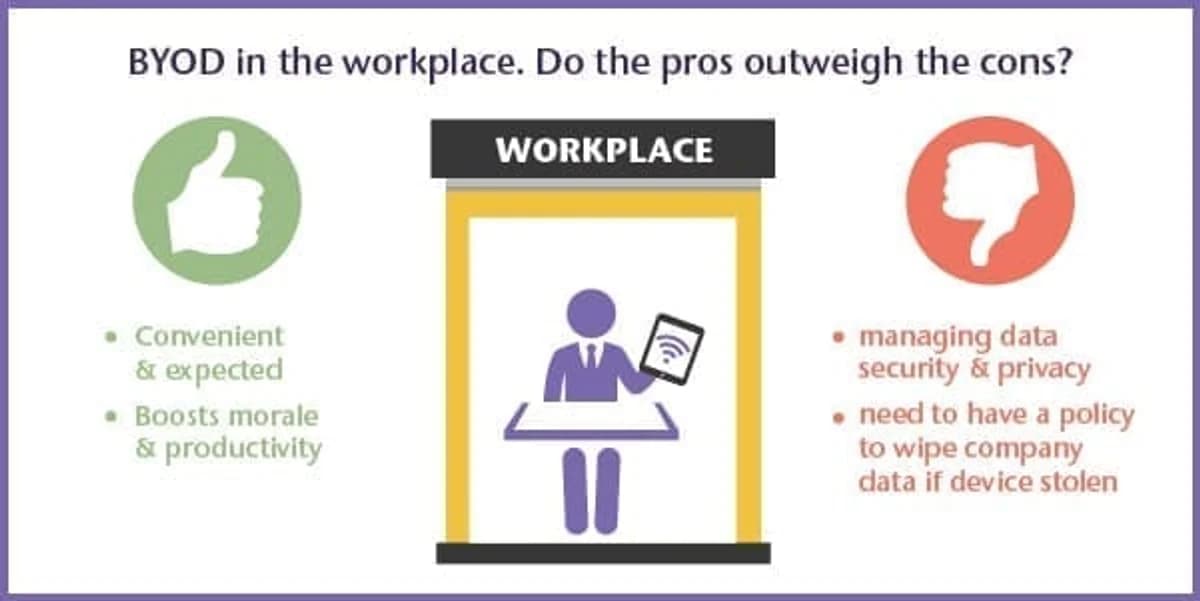
Bring your own device, or BYOD, is a phenomenon allowing personal laptops, tablets and smartphones into the workplace to gain online access and view company information. Initially met with trepidation, it is now firmly entrenched into the corporate world. Whether employers like it or not, it's happening! So should you have a policy in place?

Does BYOD make employees more productive?

Productivity could and probably will increase when employees are mobile and connected all the time. A Cisco internet research group found many advantages that BYOD employers are gaining, which varied widely from country to country. For example in the US the productive time increase from having BYOD was a huge 81 minutes per week, however in Germany, where BYOD isn't as widely accepted, the average increase was 4 minutes a week.

BYOD is expected and makes you look good

The increase in access to WiFi wherever we may be means that we can work on the go, whilst waiting for meetings to start, travelling, in coffee shops and so on. BYOD could benefit productivity by increasing convenience for employees and in turn morale. Companies are even being seen as more attractive and flexible if they allow employees to bring their own iPad.

What are the considerations of offering BYOD?

There are questions that need to be answered: Which mobile devices should be supported; any or a select few? How will data security and privacy be managed? Employers should make sure they provide a simple, low-touch way to use devices that ensures security and compliance. Companies should be able to take action to selectively wipe corporate data from a device should it be lost or stolen.

Real Business have provided a list of things to consider when businesses introduce BYOD. One consideration on that list is the responsibility for employees to ensure that when using public WiFi, the network channel is a secure WiFi network.

Interesting uses of BYOD

As well as corporate environments allowing BYOD, hospitals are also seeing the benefit. Bedford NHS Trust listened to the request of doctors who wanted to use their own iPads to access the internet from anywhere in the hospital. It also allows other clinicians and administrative staff to access data quickly. The Trust uses both a private network for staff and a public one for patients and visitors. The money saved by BYOD can quite rightly be used towards other costs elsewhere in the hospital.

In an educational setting, New College in Swindon have also recently provided a BYOD solution for their 13,000 students who frequent the premises. After recognising the increase in demand from the students for remote access via their own devices, the college installed a high-performance network to enable students to bring and use their own devices around the campus.

Advice for businesses:

The truth is that businesses are responding to a growing demand from employees who wish to bring in their own devices anyway. Therefore, employers need to be sure that they have a BYOD policy in place.

So, be clear and transparent on what is expected for employees when bringing their own device, users will then appreciate the freedom. Educate users on the benefits of using WiFi when it's available - automatic WiFi configuration will help to ensure devices can automatically connect when on the move to various business locations. Make WiFi easy to gain access to, make it secure and use it to gather data.
Frequently asked questions

What is a BYOD policy in the workplace and why is it necessary?

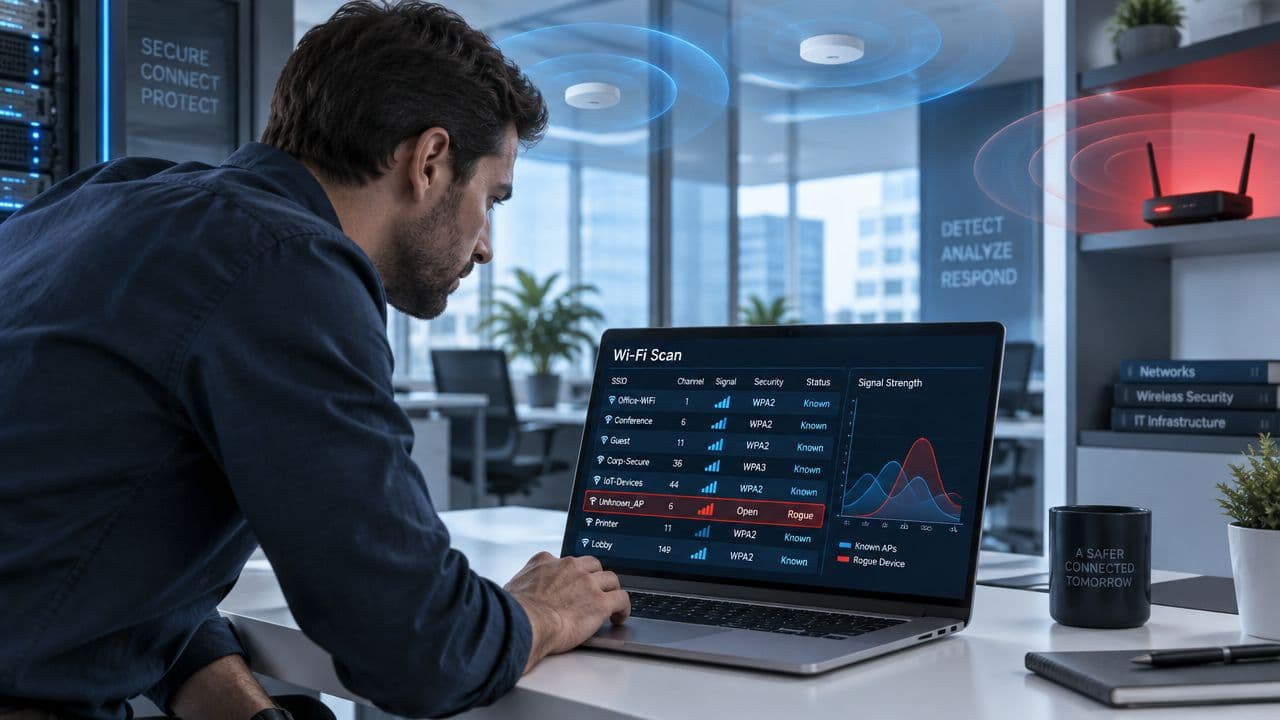
A Bring Your Own Device (BYOD) policy establishes the technical, operational, and security rules governing employee-owned smartphones, laptops, and tablets connecting to corporate networks. Without an enforced BYOD policy, unmanaged endpoints introduce rogue access, credential leakage, and malware into enterprise local area networks (LANs). A formal policy enforces dynamic device authentication, acceptable use parameters, and data protection safeguards.

How do enterprises secure corporate WiFi networks against unmanaged BYOD risks?

Securing enterprise WiFi against BYOD risks requires strict network segmentation. Organizations replace shared pre-shared keys (PSKs) with IEEE 802.1X enterprise authentication, automated certificate enrollment, or identity-bound private PSKs (iPSKs). Combined with dynamic VLAN assignment, personal devices are isolated from critical databases, internal subnets, and operational technology (OT) systems.

What is the difference between 802.1X RADIUS and private PSK (iPSK) for personal devices?

IEEE 802.1X RADIUS authenticates each user against an identity provider (such as Microsoft Entra ID or Okta) using individual user credentials or digital certificates, generating unique ephemeral encryption keys per session. Private PSK (iPSK) provides individual pre-shared keys bound to specific device MAC addresses, ideal for personal devices, gaming consoles, or headless IoT hardware that lack native 802.1X supplicants.

How does Microsoft Entra ID or Google Workspace integrate with enterprise BYOD WiFi?

Enterprise cloud RADIUS platforms integrate directly with cloud identity providers via secure APIs or OpenID Connect (OIDC). When an employee authenticates via single sign-on (SSO), cloud RADIUS checks their directory status, group memberships, and role assignments in real time. Access is instantly revoked across all wireless access points as soon as an employee is offboarded in Entra ID or Google Workspace.

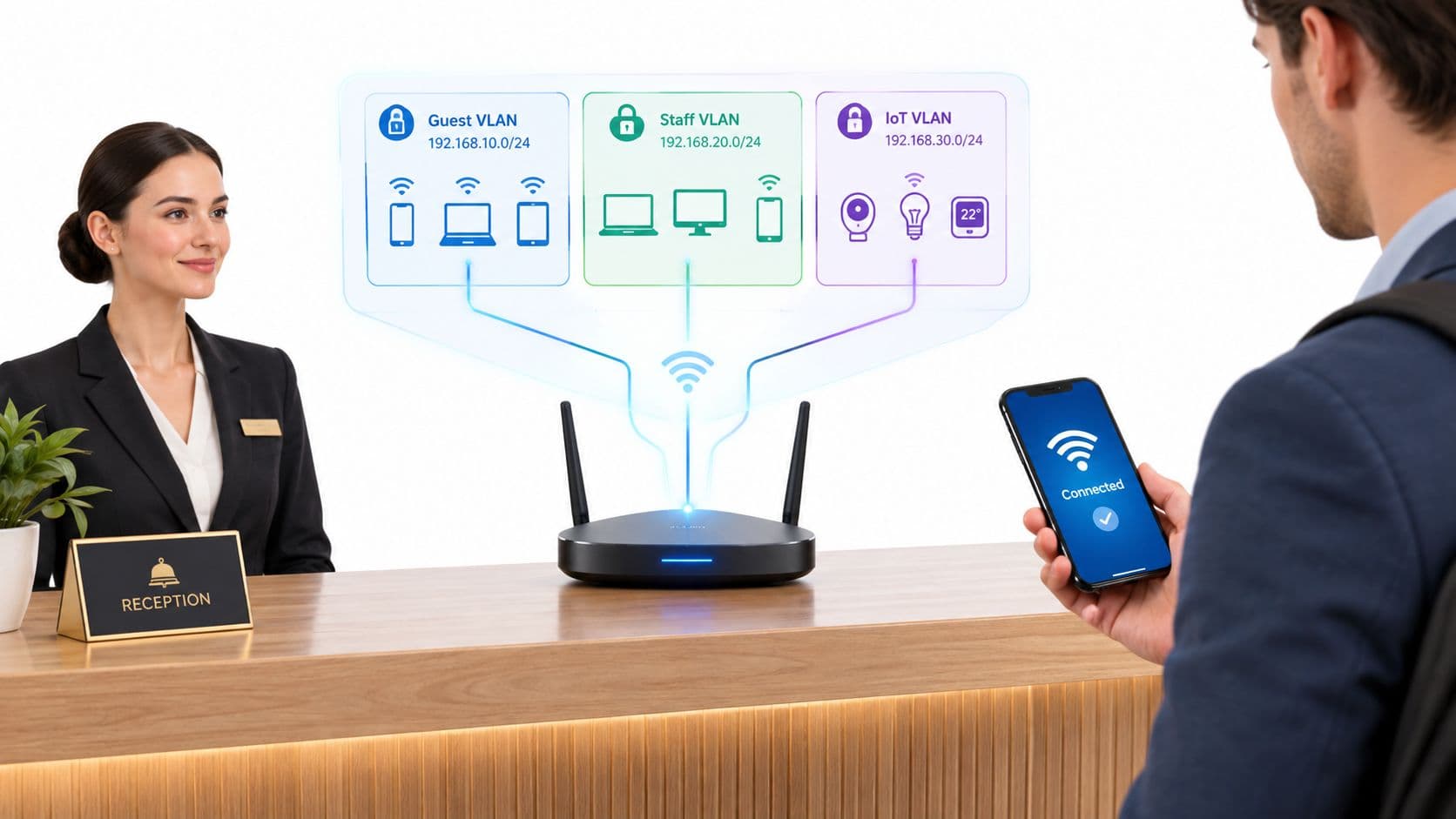
Why should BYOD employee devices be segregated from IoT equipment and guest WiFi?

Employee smartphones and laptops handle corporate email, enterprise SaaS tools, and local file transfers, whereas guest WiFi is intended strictly for transient internet browsing. IoT hardware (such as smart TVs, printers, and building sensors) lacks security software and represents an attractive attack vector. Segregating these user populations into distinct VLANs prevents lateral threat movement and limits broadcast storm overhead.

How does dynamic VLAN assignment enforce zero-trust network access for personal smartphones?

Dynamic VLAN assignment leverages RADIUS attributes (specifically RFC 2868 Tunnel-Type, Tunnel-Medium-Type, and Tunnel-Private-Group-ID) returned to the wireless access point or controller upon successful authentication. Instead of dumping all users into a single flat subnet, access points dynamically tag employee traffic to an isolated, micro-segmented VLAN restricted by stateful firewall access control lists (ACLs).

Ready to get started?

Book a demo with one of our experts to see how Purple can help you achieve your business goals.

Speak to an expert