For any business today, the gold standard for WiFi security is a combination of WPA3-Enterprise and certificate-based authentication. These modern methods move your network beyond simple, shareable passwords, creating a much stronger, identity-based defence for your business.
From WEP to WPA3: A Brief History of WiFi Security
To really grasp why today's security is so vital, it helps to look back at how we got here. The story of WiFi security is a constant tug-of-war between protection and exploitation, with each new protocol being a direct answer to the flaws of the last.
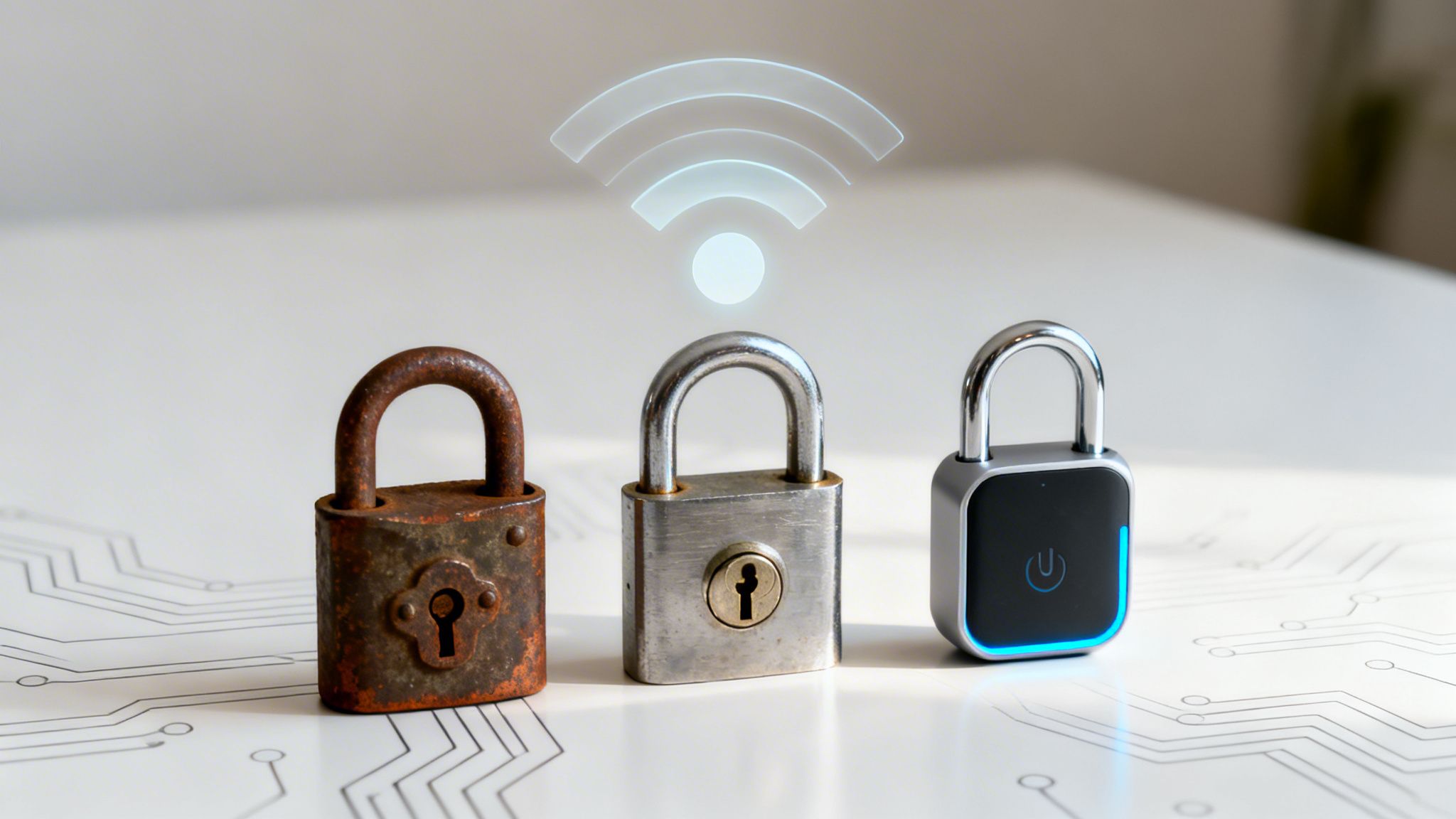
Think of it like the evolution of a door lock—from a simple latch that could be easily forced, to the high-tech smart lock we rely on today.
WEP: The Broken Latch
The very first attempt at WiFi security was Wired Equivalent Privacy (WEP), introduced back in 1999. The name says it all: the goal was simply to make a wireless network as private as a wired one. Unfortunately, WEP was built on a fundamentally flawed design. It was like putting a flimsy bathroom latch on a bank vault.
Attackers quickly realised WEP’s static, unchanging encryption key could be cracked in minutes using freely available software. It offered a false sense of security and is now completely obsolete. Using WEP today is the digital equivalent of leaving your front door wide open with a sign that says, "Help yourself."
WPA and WPA2: The Standard Deadbolt
In response to WEP’s catastrophic failure, the Wi-Fi Alliance rolled out Wi-Fi Protected Access (WPA) in 2003. WPA was a stop-gap measure, designed to offer better security on existing hardware while a more robust solution was developed. Its main improvement was the Temporal Key Integrity Protocol (TKIP), which constantly changed the encryption keys, making it much harder to crack than WEP.
Just a year later, WPA2 arrived and became the security benchmark for well over a decade. It introduced a much stronger encryption method called the Advanced Encryption Standard (AES), which is still a government-approved cipher. For most of its life, WPA2 was the reliable deadbolt on our digital doors—strong, trusted, and used everywhere.
But even this trusty deadbolt wasn’t perfect. The discovery of the Key Reinstallation Attack (KRACK) in 2017 was a wake-up call. It showed that even WPA2 networks could be vulnerable under specific conditions, allowing an attacker to intercept data. This vulnerability proved that relying on a single shared password, no matter how strong the encryption, was no longer a safe bet.
The timeline below shows this progression from a simple "latch" to a modern "smart lock."
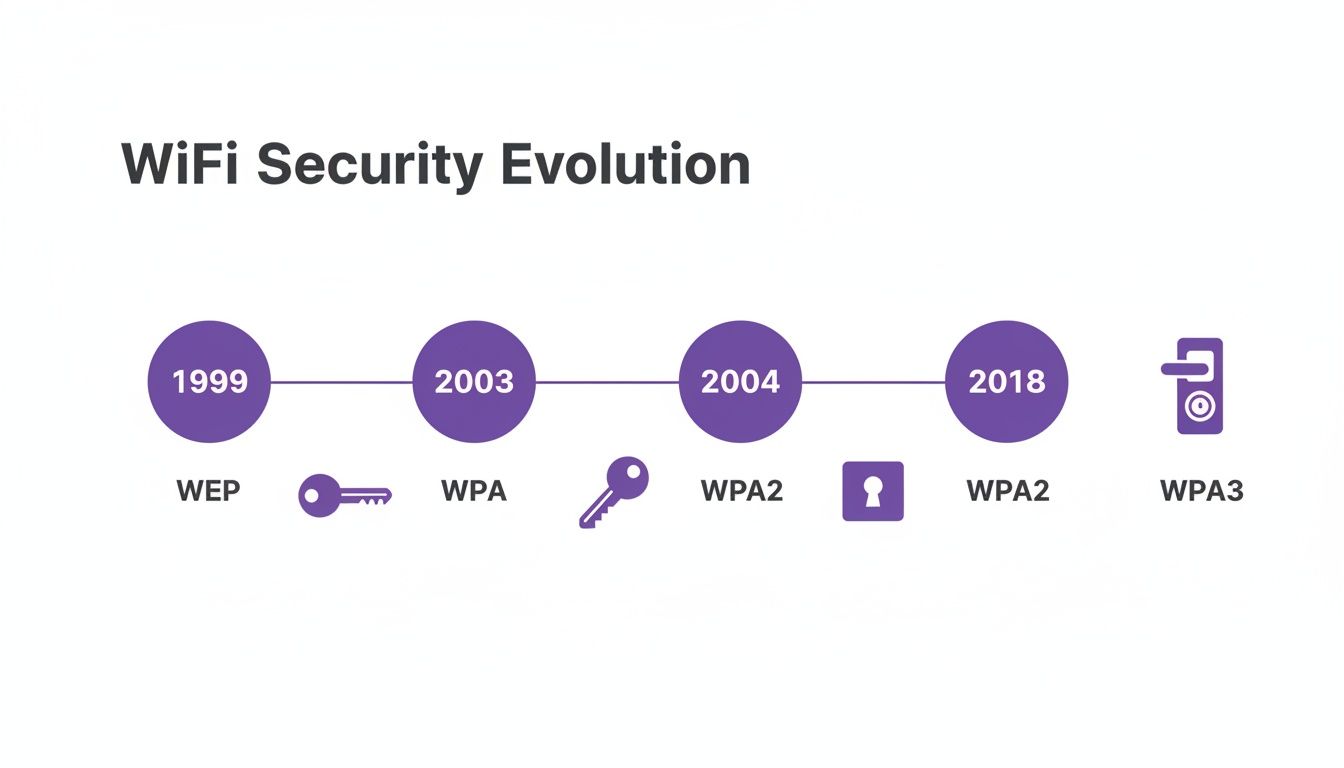
As you can see, the release of each new standard was a direct reaction to the security limitations of the one before it.
WPA3: The Modern Smart Lock
The chinks in WPA2's armour paved the way for WPA3, which was introduced in 2018. WPA3 is the modern smart lock for your network, specifically engineered to fix the core weaknesses of its predecessors. It makes WiFi security both stronger and simpler for everyone, from home users to massive enterprises.
This new standard isn't just a minor update; it's a fundamental evolution needed to protect data in a world of ever-growing threats.
WiFi Security Protocols at a Glance
To make sense of these acronyms, here’s a quick comparison of the major protocols and where they stand today.
| Protocol | Encryption | Key Weakness | Recommended Use |
|---|---|---|---|
| WEP | RC4 (flawed) | Static key, easily cracked | None. Completely insecure and obsolete. |
| WPA | TKIP | Vulnerable to several known attacks | None. Deprecated, use only if no other option exists. |
| WPA2 | AES-CCMP | Vulnerable to KRACK attacks | Minimum standard. Still common, but migration is advised. |
| WPA3 | AES-GCMP/SAE | No major weaknesses found | Recommended standard for all new deployments. |
This table clearly shows the progression towards stronger encryption and resilience. While WPA2 served us well, the industry has firmly moved towards WPA3 as the new baseline for secure wireless communication.
WPA3 Your New Minimum Security Standard
When it comes to your WiFi security, WPA3 isn't just the next step—it's the new ground floor. Think of it less as an optional upgrade and more as the mandatory starting point for any business that takes its data, and that of its customers, seriously. WPA3 was built from the ground up to fix the deep-seated flaws of WPA2, making robust security the default, not an afterthought.
This isn't just a minor patch. WPA3 brings several core improvements to the table that directly counter the kinds of cyber threats businesses face today. These aren't just technical terms on a spec sheet; they're real-world protections for your staff, your customers, and your bottom line.
One of the most important upgrades is called Simultaneous Authentication of Equals (SAE). It’s a bit of a mouthful, but its job is simple: it acts like a digital bodyguard for your password, completely changing how devices connect to your network.
Stronger Defences Against Password Attacks
With the older WPA2-Personal, a determined attacker could capture the authentication "handshake" between a device and your network. They could then take this captured data offline and hammer it with a dictionary attack, throwing millions of password guesses at it until they found a match. This made even fairly complex passwords vulnerable if given enough time.
SAE slams the door on this entire category of attack. It creates a secure, one-time-only connection for each device, every single time it joins the network. Even if an attacker is lurking and manages to capture the handshake data, it's completely useless for offline guessing. It’s like a single-use key that's worthless the moment it’s been used.
WPA3’s SAE protocol means that even if a user chooses a less-than-perfect password, it can't be easily cracked offline. This provides a much-needed buffer against the most common types of password attacks.
Suddenly, the brute-force attacks that were a constant headache for WPA2 networks are rendered almost completely ineffective against a properly set-up WPA3 network.
Securing Open Public Networks
Public guest networks have always been the wild west of WiFi. Traditionally, these open networks had zero encryption. Everything a user did—from browsing websites to logging into accounts—was sent in plain text, leaving them wide open to "man-in-the-middle" attacks from anyone nearby with a laptop and bad intentions.
WPA3 tackles this head-on with Enhanced Open, also known as Opportunistic Wireless Encryption (OWE). Even on a password-free guest network, OWE automatically creates an individual, encrypted tunnel between each user's device and the access point.
This individualised encryption delivers crucial privacy and peace of mind for guests in public spaces like:
- Cafes and Restaurants: Protecting customers as they browse, work, or tap in payment details.
- Hotels and Lobbies: Securing guest data from the moment they connect, without any complicated login steps.
- Retail Centres: Giving shoppers the confidence to connect to guest WiFi without fearing their personal information is being snooped on.
Enhanced Open is a game-changer. It provides a baseline of privacy and security without adding a shred of friction for the user, transforming your public network from a potential liability into a safe, trustworthy amenity.
Shielding Your Network from Disruption
Another major upgrade in WPA3 is the mandatory use of Protected Management Frames (PMF). Management frames are the invisible control messages that WiFi devices use to run the network—things like associating with an access point, disassociating, and authenticating.
In the past, these vital messages were sent unencrypted. This allowed attackers to easily send fake "deauthentication" frames to kick devices off the network, either to cause chaos or to force a device to reconnect so they could capture that initial handshake. As you work toward a more secure wireless networking strategy, preventing these disruptions is a huge step forward.
PMF encrypts these critical management messages, locking them down so only legitimate devices can send them. This shields your WiFi connection from disruption and eavesdropping, creating a more stable and reliable network for everyone. In the face of modern cyber threats, upgrading to WPA3 is no longer a choice—it's a necessity.
Choosing Between Personal and Enterprise Security
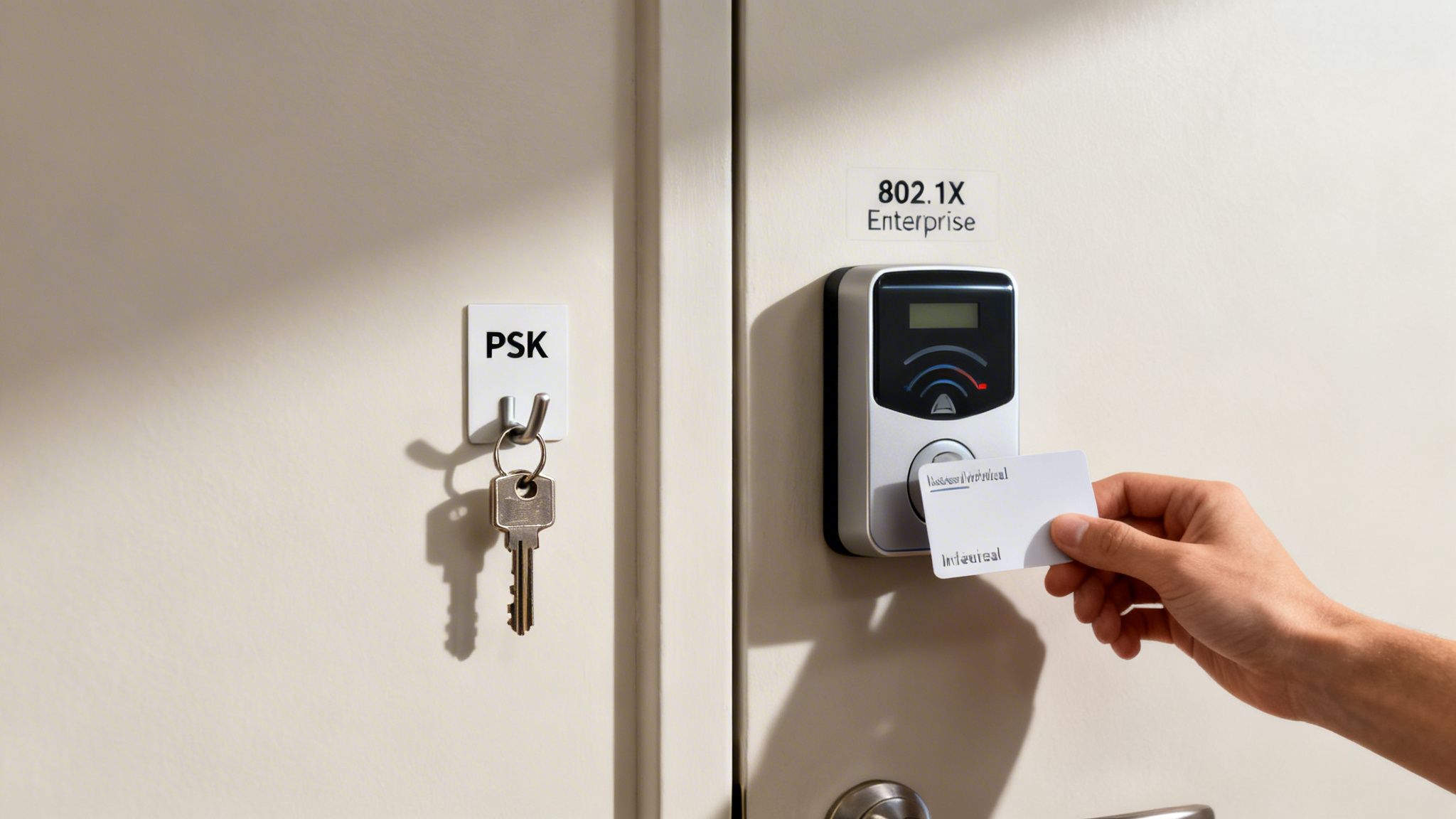
When you're deciding on WiFi security, you’ll quickly hit a fork in the road, even within the latest WPA3 standard. The choice is between Personal and Enterprise modes, and it’s a decision that fundamentally changes how you manage access and, ultimately, how secure your network really is.
Think of it this way: are you going to give everyone the same key to the front door, or are you going to issue individual, trackable keycards like you would for a modern office building?
The first option, WPA3-Personal, uses a Pre-Shared Key (PSK). This is the method we all know from home WiFi – one password for everyone. It's fast to set up and easy to share, making it tempting for smaller businesses just getting started.
But that simplicity is a trap, hiding some major security flaws for any business environment. That "one key for all" approach creates a cascade of problems right from the start.
The Limits of a Single Shared Password
Relying on a single PSK for your main business network is like building your entire security strategy on a single point of failure. The moment that password gets leaked, compromised, or even just scribbled on a sticky note, your whole network is wide open.
The day-to-day management alone can quickly become a nightmare. Just think about what happens when an employee leaves. To properly revoke their access, you have to change the WiFi password and then go around updating every single company device—every laptop, corporate phone, printer, and smart TV. It’s a huge disruption and a process begging for human error.
Worse still, a PSK gives you zero accountability. When everyone uses the same password, you have no idea who is doing what on your network. If something malicious happens, trying to trace it back to a specific person is virtually impossible. For any organisation, that lack of visibility is a massive risk.
The problems with a PSK are clear and painful:
- Massive disruption when revoking access: Changing the password for one person means reconfiguring every single device.
- High risk of compromise: One leaked password exposes the entire network to anyone who has it.
- No user accountability: It's impossible to track individual activity or pinpoint the source of a security breach.
- Difficult to secure headless devices: IoT devices and printers often store the PSK in plain text, making them an easy target for an attacker.
This model just doesn't scale, and it falls completely short of the granular control and security that modern businesses need.
The Power of Individualised Authentication
The far better alternative is WPA3-Enterprise, which runs on the IEEE 802.1X framework. Instead of a single shared password, Enterprise mode authenticates every user or device individually. It’s the digital version of giving each person their own unique, revocable keycard.
This method works by using a central authentication server, known as a RADIUS (Remote Authentication Dial-In User Service) server, to check credentials. When someone tries to connect, their device presents its unique credentials to the access point. The access point doesn't make the call itself; it forwards the request to the RADIUS server, which confirms if that specific user is authorised.
With WPA3-Enterprise, you move from an anonymous, password-based model to a secure, identity-driven one. Access is granted based on who the user is, not what password they know.
This completely transforms how you manage network security. If an employee leaves, you just revoke their individual credential in your central directory, like Entra ID or Okta. Their access is cut off instantly, without affecting anyone else on the network.
This individualised approach delivers huge benefits:
- Granular Access Control: You can create different access levels for different groups, like staff, contractors, or executives.
- Effortless Revocation: Removing a user is as simple as disabling their account in one central place.
- Full Accountability: Every connection is tied to a specific user or device, giving you a crystal-clear audit trail.
- Enhanced Security: By getting rid of shared passwords, you dramatically reduce the risk of credential-based attacks.
While setting up a traditional RADIUS server used to be a complex, costly affair, modern cloud platforms have made 802.1X accessible for businesses of all sizes. It removes the need for expensive on-premise hardware, making Enterprise-grade security a practical and necessary choice for any forward-thinking business.
Go Passwordless with Certificate-Based Authentication
While WPA3-Enterprise lays the groundwork for better security, certificate-based authentication is where you really hit the gold standard. It’s a fundamental shift away from something users know (like a password) to something they have—a unique digital identity. This is the absolute peak of Wi-Fi security, as it removes passwords from the equation entirely.
Think of it like this: you’re upgrading from a spoken passphrase that can be phished, shared, or simply forgotten, to a unique digital passport for every single device. That's the core idea behind certificate-based authentication, which is most often put into practice using the EAP-TLS (Extensible Authentication Protocol-Transport Layer Security) protocol.
With EAP-TLS, every device, whether it's a corporate laptop or a smartphone, gets its own unique digital certificate. This certificate acts as its undeniable ID. When that device wants to join the network, a secure, cryptographic handshake takes place where both the device and the network prove their identities to each other before a single byte of data is sent.
How Mutual Authentication Creates a Bulletproof Connection
Unlike password-based systems where only the user proves their identity to the network, EAP-TLS requires mutual authentication. The device presents its certificate to show it’s a trusted corporate asset, and in return, the network presents its own certificate to prove it's the legitimate company network—not a malicious "evil twin" hotspot set up in the car park.
This two-way verification builds a connection that’s incredibly resistant to the most common network attacks.
- Phishing Becomes Ineffective: Attackers can’t trick your staff into giving up a password because there simply isn't one to give away. Authentication is handled automatically and securely by the device itself.
- "Man-in-the-Middle" Attacks are Blocked: A device won't connect to a rogue access point impersonating your official Wi-Fi because it checks the network's certificate first. If it doesn't match, no connection is made.
- Credential Theft is Neutralised: Even if a device is stolen, the certificate is tied to that specific piece of hardware. An attacker can't just copy it and use it on another machine without serious effort and expertise.
This approach flips your security posture from being reactive to proactive. Instead of just waiting to spot a breach caused by a stolen password, you prevent it from ever happening by removing the password as a weak point.
This level of security isn't just a "nice-to-have"; it's a critical requirement for industries where data protection is everything. In sectors like finance, government, and healthcare, a single data breach can cause devastating financial and reputational harm. Certificate-based authentication delivers the assurance these organisations need. You can learn more by exploring the benefits of 802.1X authentication in more detail.
Making Certificate-Based Security Accessible
In the past, setting up a certificate-based system was a massive headache. It meant building and maintaining an on-premise Public Key Infrastructure (PKI), complete with a Certificate Authority (CA) server to issue and manage all the digital certificates. This was a job strictly for large enterprises with dedicated IT security teams and deep pockets.
Fortunately, that barrier has all but disappeared. Modern cloud platforms have completely changed the game.
Cloud-native solutions can now manage the entire certificate lifecycle for you, automatically. They plug directly into your existing identity provider, like Microsoft Entra ID or Okta. When a new employee joins and gets added to the company directory, a certificate can be instantly pushed to their corporate devices. When they leave, it’s just as easily revoked.
This cloud-based approach gets rid of the need for complex on-site servers and specialist knowledge. It makes the strongest type of security for Wi-Fi genuinely accessible to a much wider range of businesses, letting them lock down their networks without the traditional cost and complexity. By embracing this passwordless future, organisations can finally shut the door on the threats that have plagued password-based systems for decades.
How Modern Threats Make Strong WiFi Security Essential
Thinking about WiFi security isn't just an IT job anymore; it’s a fundamental business concern. The threat landscape has become a lot more dangerous, and attackers are zeroing in on the weakest link in most organisations' defences—the wireless network. Sticking with outdated security is like leaving the front door wide open for intruders.
Many businesses put their faith in network firewalls and antivirus software, assuming they're fully protected. But these are mostly reactive tools, designed to catch threats that have already made it inside. Real, modern security starts at the very edge of your network by being incredibly strict about who gets to connect in the first place.
This is where older security methods, especially those relying on a single shared password (a PSK), create a huge, easily targeted weak spot for your entire organisation.
The Alarming Reality of UK Cyber Attacks
This isn't just a theoretical problem. Cyber attacks in the UK are on a frightening upward trend, with organisations facing a 36% year-on-year increase in attack frequency as of February 2026. Phishing is still the top weapon, responsible for a massive 93% of successful breaches against businesses.
Even though most businesses report having up-to-date firewalls (72%) and malware protection (77%), these defences clearly aren't stopping sophisticated attacks that hinge on stolen credentials.
The data tells a clear story. Attackers aren't spending all their time trying to smash through firewalls; they're walking straight in with stolen keys, often gathered from a simple phishing email. When your whole company uses one WiFi password, a single employee falling for a scam can expose the entire network.
True security is proactive, not reactive. It begins by adopting an identity-based networking model where access is granted based on who you are, not what password you know.
This shift in thinking directly tackles the biggest threat we see today: phishing and credential theft. By moving away from shared secrets and toward verifying each user and device individually, you slam shut the very door attackers are using to get in.
Beyond just encrypting your wireless traffic, a complete strategy to counter modern threats also means understanding the critical importance of a secure destruction of data for all business IT assets to prevent data leaks. Ultimately, the best type of security for WiFi is one that recognises and directly addresses how today’s cybercriminals actually work.
Securing Guest and BYOD Access Without Passwords
Handing out a single, shared password for your guest WiFi is a security nightmare waiting to happen. On the flip side, forcing staff to constantly re-enter complex credentials for their personal devices just creates headaches and encourages them to find insecure workarounds. The old ways of managing guest and employee-owned devices are broken.
Modern WiFi solutions get rid of the password problem altogether. They swap out those vulnerable shared secrets for a system that automatically verifies a user's identity. This makes connecting to the network effortless for your users and vastly more secure for your business, turning a major security gap into a smart, identity-aware asset.
You can see this shift happening across the board. In the UK, wireless alarm systems now make up 55% of the residential security market, showing a clear move toward more flexible, connected solutions. And with 60% of new security installations including mobile app integration, people expect that same seamless experience everywhere—a demand that passwordless WiFi is perfectly built to satisfy. You can find more on these trends in recent UK security industry statistics on wifitalents.com.
Seamlessly Connect Guests with OpenRoaming and Passpoint
Imagine a world where your customers and guests connect to your WiFi automatically and securely the moment they walk in. No searching for networks, no asking staff for a password, no wrestling with a clunky login page. That’s the reality delivered by Passpoint and its worldwide network, OpenRoaming.
It’s a ‘connect once, roam everywhere’ model. After a simple, one-time setup, a user's phone or laptop will automatically and securely join any participating OpenRoaming network in the world. For your venue, this is a game-changer:
- No more password requests: Your team is free from the endless cycle of giving out the WiFi password.
- Security from the start: Every connection is encrypted from the very first packet, shielding users from the common threats that plague public WiFi.
- A truly premium experience: Visitors get instant, hassle-free connectivity every time they return to your venue or visit another in the global network.
By adopting OpenRoaming, your venue becomes part of a global, secure network. This doesn't just lock down your WiFi; it elevates your brand by offering a cutting-edge amenity that simply works.
This approach is perfect for large-scale public spaces like airports, stadiums, city centres, and multi-site retail or hospitality chains. It completely removes the biggest points of friction and insecurity tied to guest access.
Secure Legacy Devices with Identity-Based PSK
So, certificate-based security is the gold standard for your company laptops, but what about everything else? Your network is likely full of "headless" or legacy devices—things like smart TVs, printers, games consoles, and IoT sensors that can't handle advanced 802.1X authentication. Leaving them on an open network or a shared password network is a massive security blind spot.
This is exactly the problem Identity-based Pre-Shared Keys (iPSK) was designed to solve. Instead of one password for every device, iPSK lets you generate a unique key for each individual device or group of devices. Each key is tied to a specific identity, and you can give it its own set of rules and permissions.
It's a powerful middle ground, giving you enterprise-grade control over the devices that can't support full enterprise authentication. Our complete guide on iPSK provides a deeper dive into how this identity-based WiFi security works. By using these modern tools, you can finally close the security gaps left by guest access and BYOD, moving your network towards a truly passwordless, identity-driven future.
Your Top WiFi Security Questions, Answered
Choosing the right WiFi security can feel like navigating a minefield of acronyms, but getting it right is one of the most important decisions you'll make for your business. Here are some clear, straightforward answers to the questions we hear most often from businesses trying to secure their networks.
What Is the Most Secure Type of WiFi Security?
The gold standard for security today is WPA3-Enterprise paired with certificate-based authentication (EAP-TLS). This setup completely removes passwords from the equation, which are almost always the weakest link in any security chain.
Instead of a password that can be stolen, phished, or shared, each device is issued a unique digital certificate. Think of it as a digital ID card that can't be copied or given away. It’s the single most effective way to prevent credential theft.
Can I Still Use WPA2?
While WPA2 was the workhorse of WiFi security for over a decade, it's no longer up to the job for a business environment. We now know it's vulnerable to major attacks like KRACK, and its reliance on a single shared password (in its 'Personal' mode) creates a massive security hole.
For any new network you're setting up, WPA3 should be the absolute minimum standard.
The goal is to move away from shared secrets. If your network still relies on a single password that everyone knows, it's time to plan an upgrade. That single point of failure is too great a risk in today's threat environment.
Do I Need WPA3-Enterprise or Is Personal Enough?
For any business, no matter the size, WPA3-Enterprise is the only real choice. WPA3-Personal, despite the stronger encryption, still uses a single password for everyone. This is a management nightmare and completely insecure.
Enterprise mode is different. It authenticates every single user or device individually. This gives you fine-grained control, a clear audit trail of who is on your network, and the power to instantly kick a single user off without having to change the password for everyone else.
Is It Difficult to Set Up Certificate-Based Security?
In the past, yes. It was notoriously complex. Setting it up meant building and maintaining your own on-premise servers (a Public Key Infrastructure or PKI), which was expensive and required specialised expertise.
Thankfully, those days are over. Modern cloud identity platforms have made it incredibly simple. These services plug directly into your existing user directories like Entra ID or Okta to handle the entire certificate process automatically. This puts the highest level of security within reach for any business, without the traditional cost and complexity.
Ready to move beyond outdated passwords and implement the best type of security for your WiFi? Purple provides a complete identity-based networking platform that makes certificate-grade security simple. Integrate with your existing identity provider, onboard users automatically, and secure every connection without the headaches of a traditional RADIUS setup. Discover passwordless WiFi with Purple.