What Is a Captive Portal A Guide to Secure Guest Wi-Fi

You’ve seen a captive portal a thousand times. It’s that login page that pops up on your phone or laptop right after you connect to the Wi-Fi at a coffee shop, hotel, or airport. It's a web page that essentially captures your device, forcing you to interact with it—by entering an email, accepting terms, or logging in—before it grants you full internet access.
The Digital Doorman for Your Wi-Fi Network
Think of a captive portal as the digital version of a hotel reception desk. When you arrive, you don't just wander off and find an empty room. You stop at the front desk, give them your details, agree to the rules, and get a key card. Only then can you access your room.
A captive portal does exactly that for a wireless network. It’s a strategic gateway that intercepts the very first bit of web traffic from any newly connected device. Instead of letting users browse freely, it redirects their browser to a specific landing page you control. Until they complete whatever action you require on that page, their internet access is walled off.
The Three Core Functions
At its heart, a captive portal isn't just a simple login screen; it’s a versatile tool that fills three distinct roles for any business offering guest Wi-Fi. Understanding these functions helps clarify why they are so vital in both public and private settings.
It’s the first handshake between the user and your network, and it’s responsible for managing security, compliance, and even marketing.
By managing this initial interaction, a captive portal transforms a basic utility—internet access—into a powerful asset for security, legal compliance, and business growth.
This initial interaction ensures every connection is accounted for, compliant, and potentially valuable. Here's a simple breakdown of how these three roles deliver real benefits.
The Three Core Functions of a Captive Portal
Each function works together to turn what could be an anonymous, open connection into a managed and secure touchpoint for your business.
How a Captive Portal Works Step by Step
To really get what a captive portal is doing, it helps to pop the bonnet and see how the engine works. While it feels like a single, seamless moment to the user, the journey from connecting to a Wi-Fi network to browsing the web is actually a carefully choreographed dance of technical handshakes.
Think of the captive portal as a friendly but firm traffic controller at a busy junction. Before you can merge onto the main internet motorway, this controller needs to check your credentials and give you the green light. This whole process plays out in four distinct steps.
Step 1: Connection and Interception
It all starts the moment a user picks your Wi-Fi network on their device. As their phone or laptop connects to the access point, it immediately tries to reach the internet—maybe by loading a homepage or checking for app notifications.
This is where the network’s gatekeeper, usually a firewall or gateway, steps in. It’s set up to spot any device that hasn’t been authenticated yet. Instead of letting the request go through to the public internet, it intercepts it.
Step 2: Redirection to the Portal
Once caught, the system performs a neat little trick known as a DNS redirect. The Domain Name System (DNS) is basically the internet's address book; it translates human-friendly website names into machine-readable IP addresses.
In this step, the network essentially tells the user’s device, "Forget the website you asked for—I’m sending you to this specific address first." That address is, of course, the captive portal's web page. This forced detour is why, no matter what you try to do, you always land on that branded login screen first.
The core magic of a captive portal is this initial redirection. It creates a 'walled garden', making sure no internet traffic gets through until the user has played by the rules on the designated landing page.
This process guarantees that every single user is funnelled through the same controlled entry point, creating a consistent and secure onboarding experience.
Step 3: User Interaction and Authentication
Now, the user is looking at the captive portal page. Here, they have to complete whatever action the business requires. This interaction can vary wildly depending on the organisation's goals and is a critical touchpoint for security, legal compliance, and marketing.
Common actions include:
- Accepting Terms: Simply ticking a box to agree to the Acceptable Use Policy (AUP).
- Simple Login: Popping in an email address, phone number, or using a social media account to log in.
- Voucher Entry: Typing in a pre-shared code, which is common in hotels or paid hotspots.
- Form Submission: Filling out a quick survey or signing up for a marketing newsletter.
This is the "check-in" phase, where the user provides the necessary credentials or consent to move forward.
Step 4: Access Granted
Once the user successfully completes the required action, the captive portal system sends a message back to the network gateway. It tells the firewall that the user's device—identified by its unique MAC address—is now authenticated and good to go.
The gateway updates its records, effectively taking down the "wall" for that specific device. The traffic controller waves them through, and all their internet requests now flow freely. The user can browse the web, check emails, and use apps without any more interruptions for the rest of their session.
This infographic shows how the different business roles come together during this process.
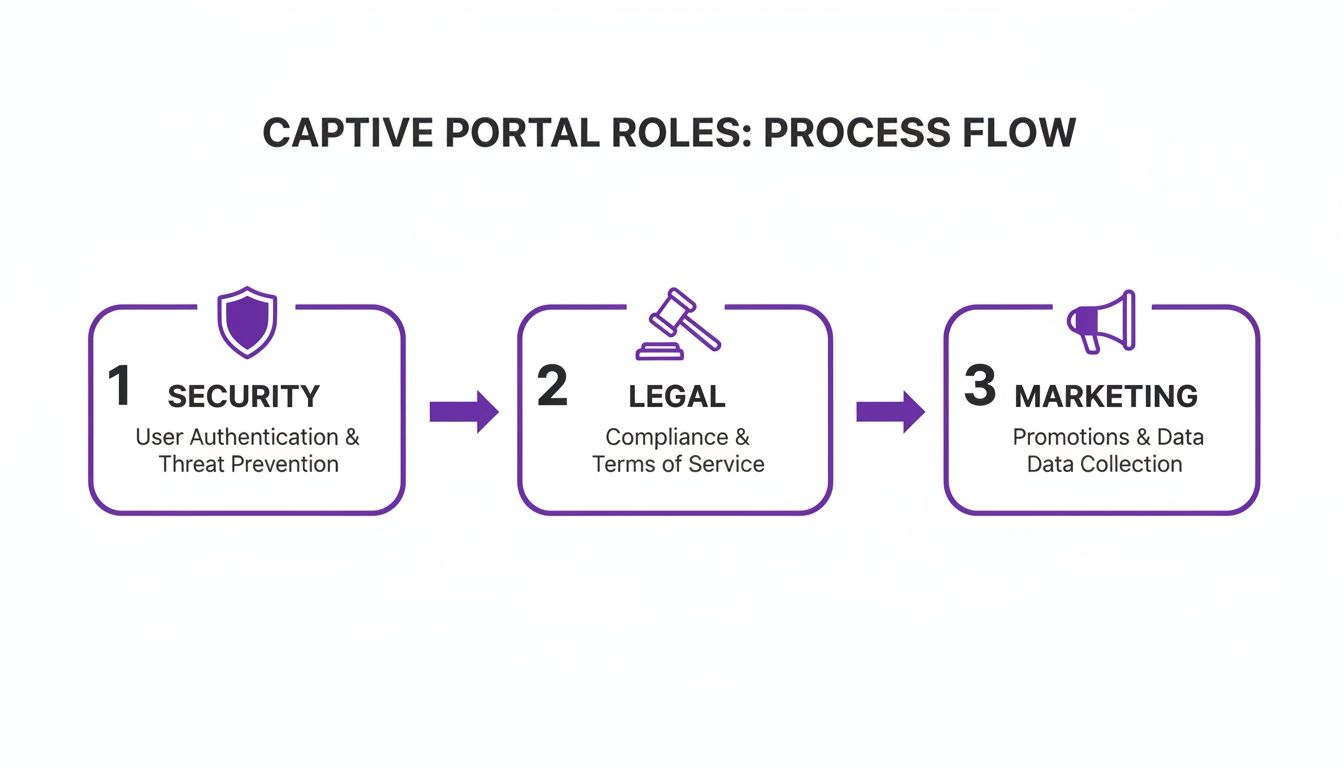
As you can see, a single captive portal seamlessly blends security checks, legal agreements, and marketing opportunities into one unified user experience.
Real World Captive Portal Use Cases
Let's move from the technical diagrams to where the rubber really meets the road. A captive portal is so much more than a simple login page; it's a versatile tool that businesses shape to meet their specific operational goals. Its real value comes alive when you see how different industries are using it to solve unique challenges, tighten security, and open up new business opportunities.
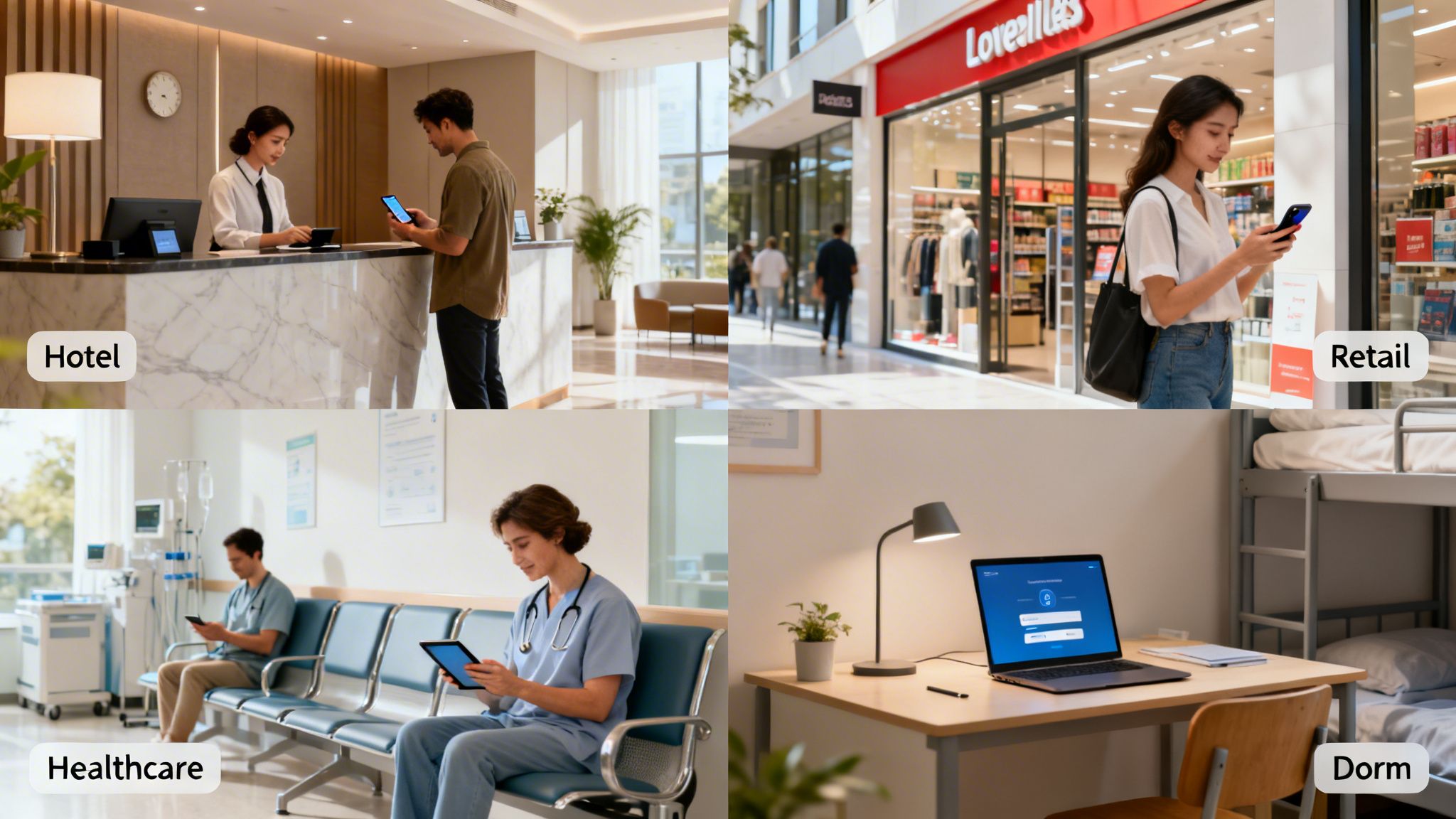
From a hotel lobby to a hospital waiting room, that initial connection point transforms from a generic gateway into a purpose-built instrument for engagement and control.
Hospitality: Enhancing the Guest Experience
In the hospitality game, the guest experience is everything. Hotels, restaurants, and event venues use captive portals not just to tick the "free Wi-Fi" box, but to weave it seamlessly into the entire customer journey. A guest might log in using their room number and surname, creating an instant, secure, and personal connection.
This first digital handshake becomes a powerful communication channel. The portal can be used to:
- Promote On-site Amenities: Flash a well-timed offer for the hotel spa, a link to book a table at the restaurant, or a happy hour special right on the login page.
- Gather Feedback: Trigger a short satisfaction survey as a guest checks out, capturing valuable insights while the experience is still fresh.
- Offer Tiered Access: Provide a free, basic service for checking emails while offering a paid premium option for high-speed streaming or video calls, creating a new revenue stream.
This isn't just about providing internet; it's about turning a utility into a core part of the service.
Retail: Turning Footfall into Customers
For retailers and shopping centres, guest Wi-Fi is a goldmine for data and marketing. The captive portal is the engine that drives this strategy, converting anonymous shoppers into known contacts for loyalty schemes and targeted promotions.
By requiring an email address or social media login for Wi-Fi access, retailers can directly attribute foot traffic to their marketing databases, bridging the gap between their physical and digital marketing efforts.
Once a shopper is logged in, the business can start to understand foot traffic patterns, pinpoint peak hours, and see how long visitors linger in certain zones. For example, cafes often integrate their captive portals with specific loyalty applications designed for cafes to drive repeat business. This data is priceless for optimising store layouts and refining marketing campaigns.
Healthcare: Balancing Access and Security
Hospitals and healthcare clinics walk a fine line. They need to provide reliable internet access for patients and visitors, but they absolutely must protect highly sensitive patient data. A captive portal is the perfect tool for network segregation. It creates a completely separate "guest network" that is firewalled off from the secure internal network where clinical operations and patient records live.
This separation ensures that a visitor streaming a film in the waiting room has zero chance of their traffic ever crossing paths with confidential electronic health records. The portal page itself can also be used to display helpful information like visiting hours, clinic directories, or public health announcements, improving the visitor experience while keeping the environment secure.
Large-Scale Deployments: Managing Diverse Users
Now, think about environments like student housing or large corporate campuses, where thousands of users with multiple devices all need reliable access. A captive portal is essential for managing this complexity at scale. It gives administrators the power to enforce different access policies for different groups—students, faculty, and guests could all have unique bandwidth limits or content filtering rules.
This centralised control dramatically simplifies network management and ensures fair usage for everyone. In the UK, the captive portal market has seen explosive growth, surging from $0.88 billion in 2023 to $1.01 billion in 2024, reflecting a robust 15.3% CAGR. This boom is especially noticeable in hospitality and retail, where portals that authenticate users and capture valuable data are proving their return on investment in weeks.
Weighing the Pros and Cons of Traditional Portals
Captive portals are a familiar gateway to public Wi-Fi, but they aren't a one-size-fits-all solution. Like any tech, they come with a distinct set of upsides and downsides that every business needs to weigh up carefully. Getting this balance right is key to figuring out if a traditional portal truly aligns with your goals for security, marketing, and the overall customer experience.
On one hand, a portal gives you a structured gateway, offering serious control over who gets onto your network. On the other, it can create a clunky experience for users and even introduce security risks if it's not set up properly.
The Clear Advantages of Portal Control
The biggest win with a captive portal is the control it hands you over an otherwise wide-open network. By funnelling every single user through one checkpoint, you unlock a few key benefits that protect both your business and your customers.
First and foremost is enhanced security and accountability. An open, password-free network is an anonymous free-for-all, which can be risky. By asking for some form of authentication—even something as simple as an email address—you create a log of who is using your network and when. This simple step discourages illicit activity and gives you a valuable data trail for troubleshooting or security investigations.
A captive portal’s greatest strength is turning an anonymous connection into a known one. This simple act of identification is the foundation for enhanced security, legal compliance, and personalised marketing.
Portals also provide a vital layer of legal and compliance protection. Forcing users to accept your Acceptable Use Policy (AUP) before they connect establishes clear terms of service. Think of it as your first line of defence, making users aware of their responsibilities and limiting your liability if they decide to misuse the network.
Finally, they open up powerful marketing and data collection opportunities. The portal itself is prime digital real estate, perfect for showing off your brand, promoting special offers, or even running quick surveys. Capturing an email or a social login provides a direct line for future marketing, helping you build a valuable customer database directly from your Wi-Fi service.
The Significant Drawbacks and Risks
However, these benefits come with some notable trade-offs, mostly revolving around the user experience and potential security holes.
The most immediate drawback is user friction. We all live in a world of instant connectivity, so forcing people to navigate a login page, fill out a form, and tick a box can be frustrating. Many will just give up and abandon the connection, leading to a poor customer experience and a lost marketing opportunity. A clunky or slow-loading portal can actively damage your brand's image.
Security is another major concern. While portals add a layer of accountability, they don't inherently encrypt the user's connection. The Wi-Fi network itself is often open and unencrypted, which means once a user is past the portal, their data could be intercepted by a bad actor on the same network. This opens the door to threats like 'evil twin' attacks, where a hacker sets up a fake, identically named Wi-Fi network with their own malicious portal to steal login details. You can learn more about how modern solutions like identity-based Wi-Fi security address these encryption gaps in our detailed guide.
Lastly, collecting user data comes with heavy privacy and compliance responsibilities. Holding personal information like names, emails, and browsing habits makes you a target for data breaches and puts you under the strict requirements of regulations like GDPR. Mishandling this data can lead to serious financial penalties and long-term damage to your reputation.
To help you size it all up, here’s a straightforward comparison of the good and the bad when it comes to traditional captive portals.
Advantages vs Disadvantages of Traditional Captive Portals
A direct comparison to help you understand the benefits and risks of conventional captive portal setups.
Ultimately, the decision to use a traditional captive portal requires a careful look at this trade-off. While the benefits of control and marketing are appealing, they must be weighed against the potential for a negative user experience and the significant security and privacy duties you're taking on.
Navigating Critical Security and Privacy Challenges
When you offer guest Wi-Fi, providing secure and compliant access isn’t just a nice-to-have—it's a core responsibility. A captive portal can be a fantastic tool for managing that access, but only when it's set up correctly. Get it wrong, and you could be opening the door to significant risks for both your business and your users.
The most common bogeyman on open Wi-Fi networks is the man-in-the-middle (MitM) attack. In this classic scenario, a fraudster quietly positions themselves between your guest and the internet, intercepting all the data flowing back and forth. Because many basic portal setups don't encrypt the connection itself, user traffic is left completely exposed after they've logged in.
This vulnerability sets the stage for a more direct threat: the 'evil twin' attack. It's deviously simple. An attacker sets up their own rogue Wi-Fi hotspot with the exact same name as your legitimate network. Unsuspecting users connect, see a convincing but fake captive portal, and hand over their personal details or login credentials directly to the criminal.
The High Stakes of Data Privacy and GDPR
Beyond these active attacks, the data you collect through your portal carries some serious privacy obligations. Regulations like the General Data Protection Regulation (GDPR) in Europe have put strict rules in place for how personal information is collected, stored, and used. For any business, this means you have to be crystal clear with your users.
Your captive portal must explicitly state:
- What data you are collecting (e.g., name, email, MAC address).
- Why you are collecting it (e.g., for network access, marketing).
- How long you will store it.
Ignoring these rules isn't a minor slip-up; it can lead to eye-watering fines and lasting damage to your reputation. Since captive portals are often central to collecting user data for access and analytics, getting to grips with data protection laws is essential. For businesses operating down under, a strategic guide to the Australian Privacy Principles provides a great breakdown of compliance and ethical data handling.
In the UK, GDPR has actually become a major driver for captive portal adoption. These stringent data privacy rules are fuelling a projected 13.4% compound annual growth rate through 2028. Venues are now prioritising secure, compliant Wi-Fi to steer clear of hefty fines, which have already topped £500 million for breaches in 2024.
Adopting a Proactive Security Model
The modern way to tackle these challenges is to move from a reactive stance to a proactive, zero-trust security model. The core philosophy here is simple: assume no user or device can be trusted by default. Instead of just guarding the front door, a truly secure system protects the entire connection from end to end.
This means using platforms that encrypt user traffic from the very first packet, often using robust standards like WPA2/WPA3-Enterprise. It also involves integrating with trusted identity providers, so you’re not just accepting an anonymous email address but verifying a known identity. To dive deeper into this, check out our guide on guest Wi-Fi data privacy and best practices.
By prioritising end-to-end encryption and secure authentication methods, you can transform your captive portal from a potential liability into a solid security asset.
The Future of Wi-Fi Access Beyond the Portal
We've all been there: find the Wi-Fi network, tap to connect, and then wait... and wait... for a login page to pop up. While captive portals did the job for a long time, their limitations—like a clunky user experience and some glaring security holes—have pushed the industry to find a better way. The future of Wi-Fi access isn't about building a better login page; it's about getting rid of it completely.
This shift is all about creating a smarter, safer way to connect. The goal is to make joining a public Wi-Fi network feel as automatic and secure as your phone connecting to your mobile network.

Introducing the Global Wi-Fi Passport
Imagine having a digital passport for your devices that works on Wi-Fi networks across the globe. You set it up just once, and from that moment on, your phone automatically and securely connects to trusted networks in airports, cafés, stadiums, and shopping centres—no passwords, no portals. This is exactly what technologies like Passpoint and initiatives such as OpenRoaming are building.
Instead of interrupting the user with a login page, Passpoint-enabled devices use a pre-approved profile to authenticate in the background. The whole process is invisible to the user, using powerful WPA2/WPA3 enterprise-grade encryption from the very first bit of data.
Think of it like this: a captive portal is like showing your ID at the door of every single building you enter. Passpoint and OpenRoaming are like having a master keycard that grants you instant, secure access to every approved building without ever having to stop.
This automatic handshake not only massively improves the user experience but also slams the door on the security risks common with traditional open networks. It's such a fundamental change that many believe we're seeing the beginning of the end for the old-school captive portal. You can dig deeper into this trend by reading about why major tech companies are moving beyond legacy Wi-Fi.
Passwordless Access for Staff and Internal Networks
This frictionless approach isn't just for guests. Think about your own employees and the hassle of remembering complex Wi-Fi passwords—it’s a constant drain on productivity and a genuine security risk. The future here is certificate-based authentication, a password-free method that ties network access directly to an employee's corporate identity.
Here’s how simple it is for an organisation to set up:
- Integrate with Your Identity Provider: The network access system links up with your central user directory, whether that’s Microsoft Entra ID (what used to be Azure AD) or Google Workspace.
- Issue Certificates Automatically: When a new employee joins, a unique digital certificate is automatically pushed to their company devices.
- Connect Seamlessly: From then on, their device uses this certificate to securely get onto the network. No passwords to type, forget, or reset.
This method gives staff a zero-touch experience while handing IT admins robust, centralised control. If an employee leaves, their access can be shut off instantly from the central directory, making their certificate useless. It's a clean, scalable, and highly secure way to manage internal Wi-Fi that goes far beyond what a captive portal could ever offer for staff authentication, and it’s a cornerstone of any modern, zero-trust security model.
Got Questions About Captive Portals?
When you start digging into network access, a few common questions always seem to pop up. Let's tackle some of the most frequent queries people have when they're getting to grips with captive portals and how they work in the real world.
Can Users Bypass a Captive Portal?
It’s a fair question. While a technically savvy user might try something like MAC spoofing (making their device mimic the hardware address of one that’s already connected), a modern, professionally set up captive portal makes this incredibly difficult.
Enterprise-grade systems don't just put up a login page; they enforce security policies right at the network gateway. This means zero internet traffic gets through until a device is properly authenticated via the portal. For any business, using a robust, cloud-managed platform is the only real way to block unauthorised access and make sure every single user agrees to your terms before getting online.
Are Captive Portals Secure for Users?
The honest answer? It completely depends on how it’s been set up. A basic, open Wi-Fi network that just uses a portal to tick a box is not inherently secure. After that first login, the user's connection is often unencrypted, leaving their data exposed. This is exactly why using a VPN on public Wi-Fi is always a smart move.
However, modern solutions put security first, right from the start.
Technologies like Passpoint and OpenRoaming use WPA2 or WPA3 enterprise-grade encryption automatically. This secures the connection before a user even has to do anything. For businesses, deploying a solution that forces encryption isn't just a feature—it's a fundamental responsibility to protect your guests.
This modern approach moves way beyond a simple login page to secure the entire connection from end to end.
How Do I Set Up a Captive Portal for My Business?
In the past, this was a serious undertaking, requiring dedicated on-site servers and a lot of technical know-how. Thankfully, today's cloud platforms have completely changed the game, making it straightforward for businesses of any size.
The setup process generally looks something like this:
- Link Your Hardware: Your existing Wi-Fi gear, from brands like Meraki or Aruba, is pointed towards your chosen cloud portal provider.
- Design the Welcome: Using a simple online dashboard, you create a branded landing page that matches your business's look and feel.
- Pick Your Login Methods: You decide how people will connect. This could be a simple form, their social media accounts, or even pre-made voucher codes for specific guests.
- Go Live: The platform handles all the tricky backend stuff, letting you launch a secure, feature-rich portal quickly, without the headache of maintaining your own hardware.
This cloud-first approach makes rolling out a professional and secure guest Wi-Fi experience faster and more manageable than ever before.
Ready to move beyond clunky portals and shared passwords? Purple offers a secure, passwordless authentication platform that enhances user experience and provides valuable insights. Discover a smarter way to manage your network today.