A Complete Guide to Making Your Wi Fi Secure

Running an insecure Wi-Fi network is like leaving your company's front door unlocked in a bustling city centre. Making sure your Wi-Fi is secure isn't just an IT job anymore—it's a critical part of doing business, essential for survival and growth in a world of ever-present digital threats.
Why Your Enterprise Wi-Fi Is More Vulnerable Than Ever
The game has changed. Today's cybercriminals see enterprise wireless networks as prime targets. The old way of doing things—relying on a simple password—is no longer enough. Sophisticated automated attacks, rampant phishing schemes, and the simple fact of hybrid working have stretched your network's defences thin. Every single connection point is a potential way in.
The hard truth is that attackers always look for the path of least resistance. Often, that's an improperly secured Wi-Fi network. They don't need to crack complex firewalls if they can just trick an employee into connecting to a malicious hotspot or get their hands on a shared Wi-Fi password.
The Rising Tide of Phishing and Automated Attacks
Today’s threats are clever and they don't stop. Phishing has moved on from obviously suspicious emails to incredibly convincing attacks that play on human trust to steal credentials. The UK Government's Cyber Security Breaches Survey makes this crystal clear, revealing that 43% of all UK businesses suffered a cyber-attack in the last year. Phishing was the number one culprit, responsible for a staggering 84% of all reported incidents. This is especially dangerous for wireless networks, where a single stolen password can give an attacker a foothold right inside your perimeter. You can find more insights in the UK Cyber Security Breaches Survey.
Once stolen, these credentials are often plugged into automated scripts that relentlessly test your network for an opening, turning a one-off mistake into a constant, lingering threat.
From IT Task to Business Imperative
This reality demands a totally new approach. Protecting your network isn't about setting a complicated password and crossing your fingers anymore. It’s about shifting to a security model based on identity, where access is granted based on who and what is connecting—not on a password that can be shared, stolen, or lost.
A secure Wi-Fi network is the foundation of a zero-trust security strategy. If you can't verify the identity of users and devices at the most basic connection level, you can't possibly protect your critical assets further down the line.
Ultimately, making sure your secure Wi-Fi infrastructure is robust and up-to-date is a strategic decision. It directly impacts your ability to operate, protect your data, and maintain customer trust. It’s about building a resilient digital environment where your team can work productively and safely, shielded from the dangers lurking online. The alternative is simply leaving your organisation exposed.
Understanding the Foundations of Modern Wi-Fi Security
To properly secure your Wi-Fi, you first need to get your head around the building blocks that keep your data safe. Think of it like sending a package. Decades ago, sending information over Wi-Fi was like mailing a postcard—anyone who intercepted it could read the entire message. This was the era of WEP (Wired Equivalent Privacy), an early security protocol that was fundamentally flawed and surprisingly easy to break.
Thankfully, modern Wi-Fi security has come a long way since then. We've moved from postcards to sealed, tamper-proof armoured vans. This journey from wide-open networks to fortified connections is built on two core principles: encryption and authentication.
Encryption is the process of scrambling your data so it's complete gibberish to outsiders. Authentication, on the other hand, is the bouncer at the door, verifying that only authorised users and devices are allowed to connect in the first place.
The Evolution from WEP to WPA3
The successor to the easily cracked WEP was WPA (Wi-Fi Protected Access), which gave us a much-needed security boost. It wasn't perfect, though, and vulnerabilities soon led to the development of WPA2. For years, WPA2 was the gold standard, offering strong encryption that protected most home and business networks quite effectively.
But as cyber threats grew more sophisticated, even WPA2 started showing its age. Today, the modern standard for a truly secure Wi-Fi network is WPA3.
WPA3 brings several critical upgrades to the table that make it far more resilient against common attacks:
- Individualised Data Encryption: Even on networks with a shared password, WPA3 encrypts the connection uniquely for each device. This is a game-changer, as it stops attackers from snooping on other users' traffic on the same network.
- Protection Against Brute-Force Attacks: It makes it much harder for attackers to guess your password by trying thousands of combinations, a popular technique used to break into WPA2 networks.
- Protected Management Frames (PMF): This feature is crucial. PMF secures the behind-the-scenes "management" chatter between your device and the access point, preventing attackers from disconnecting legitimate users or tricking them into connecting to a malicious network.
Think of WPA3 as a security guard who not only checks your ID at the door but also ensures the conversation you have inside is private and that no one can impersonate you to kick you out.
This chart illustrates how an insecure Wi-Fi connection is a foundational vulnerability, opening the door to more advanced threats like phishing and direct network attacks.
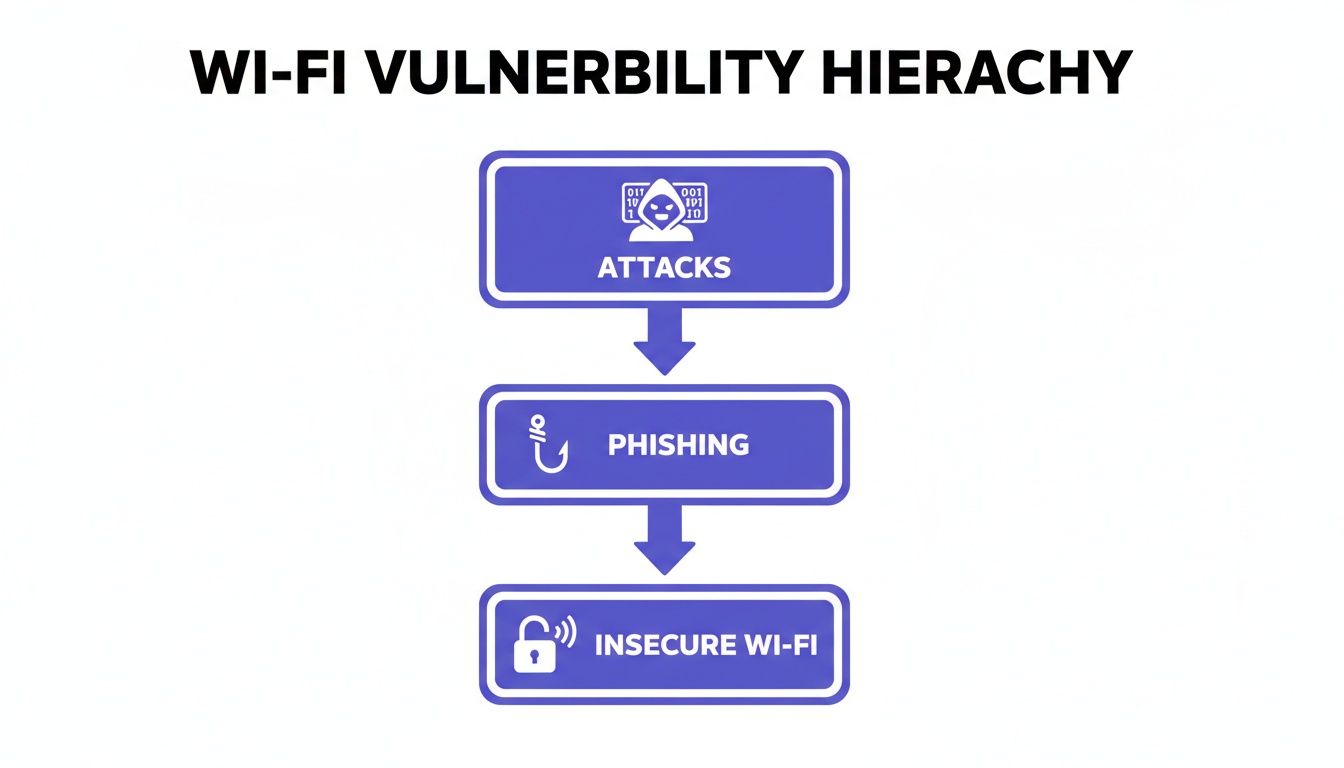
The image drives home a key point: a weak wireless foundation makes an organisation susceptible to the very attack vectors that cause the most damage.
To help you make sense of these standards, here's a quick comparison of the most common Wi-Fi security protocols.
Wi-Fi Security Protocols Compared
As you can see, sticking with older protocols leaves your network wide open. Upgrading to at least WPA2 is essential, but aiming for WPA3 is the only way to ensure robust, modern protection.
Beyond Shared Passwords: The Rise of 802.1X
While WPA3 dramatically improves encryption, how you authenticate users is just as important. Most networks still rely on a Pre-Shared Key (PSK)—a single password shared among all users. While simple, this approach is a security nightmare in any business setting. If an employee leaves or a device is compromised, you have to change the password for everyone and every device. It’s a logistical mess and a massive security hole.
This is where enterprise-grade authentication shines. The industry standard for this is IEEE 802.1X.
Instead of a single shared password, 802.1X requires each user or device to present unique credentials to a central authentication server (often a RADIUS server). This means access is tied to an individual identity, not a shared secret.
The security advantage here is enormous. It allows for granular control, where access can be granted or revoked for a single user without disrupting anyone else. When an employee leaves, their credentials can be instantly disabled, locking down the network immediately.
For a deeper dive into this technology, you can learn more about the benefits of 802.1X authentication in our detailed guide. This shift from shared secrets to individual identity is the cornerstone of modern, zero-trust network security and sets the stage for a truly passwordless future.
Decoding the Top Threats to Your Wireless Network
It’s one thing to talk about Wi-Fi security in theory, but it’s another thing entirely to see how attackers exploit weaknesses out in the wild. To make your Wi-Fi secure, you first have to know your enemy. Cybercriminals use a handful of clever, surprisingly simple tactics to turn a network from a business tool into a massive liability.
These aren't some far-fetched, Hollywood-style hacks. They are common, everyday threats that target businesses of all sizes. Let's break down the most prevalent attacks you need to be ready for.
The Dangers of Evil Twin Hotspots
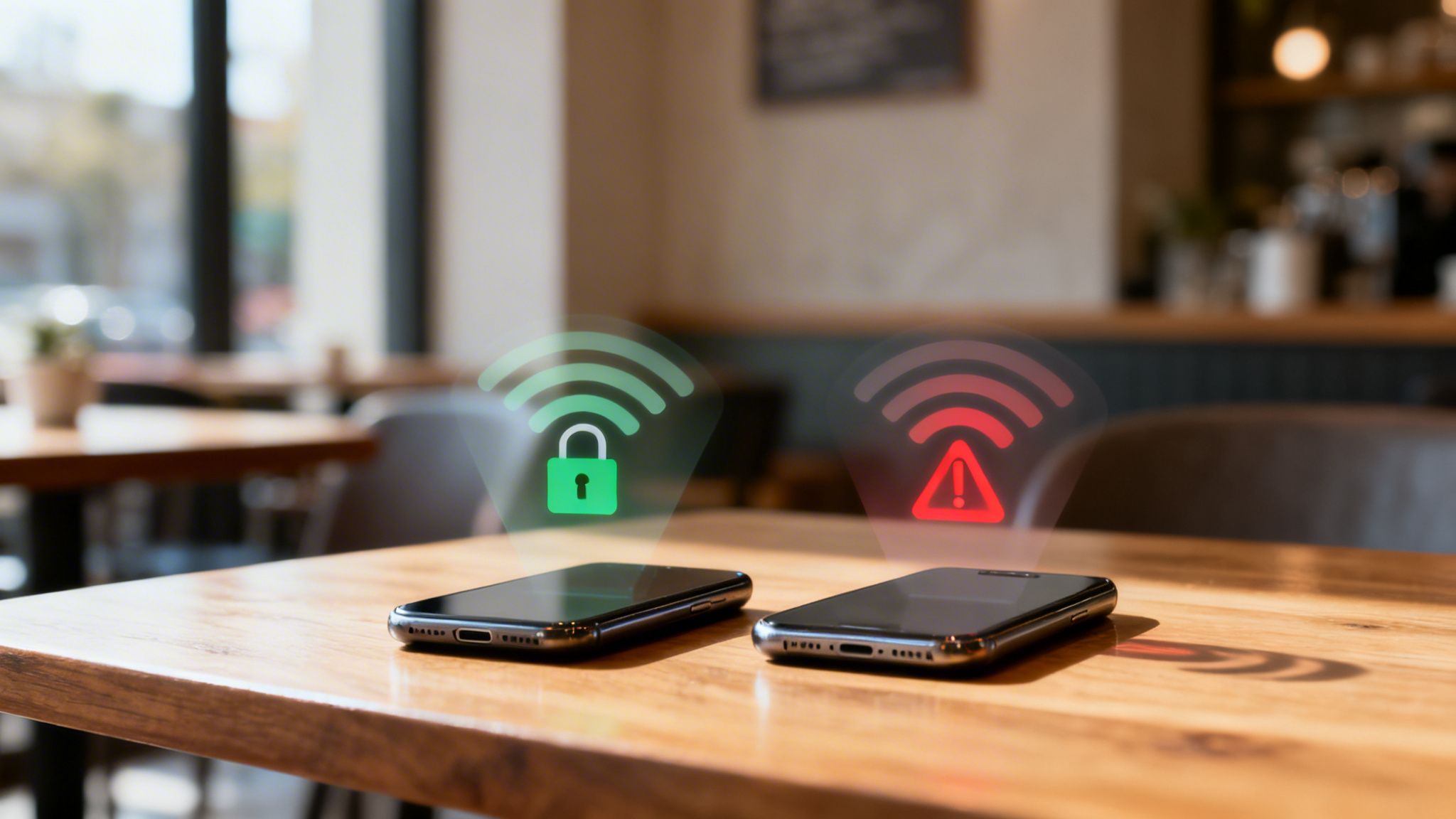
Imagine you’re sitting in your favourite coffee shop. You pull out your phone and see two Wi-Fi networks: “CoffeeShopWiFi” and “CoffeeShop_Free_WiFi”. One is real; the other is a trap. This is the classic Evil Twin attack.
An attacker simply sets up a rogue access point with a name that looks completely legitimate. Unsuspecting users, conditioned to look for free Wi-Fi, connect to it without a second thought. The moment they do, the attacker is perfectly positioned to intercept every piece of data that flows between their device and the internet.
- How It Works: The attacker's hotspot acts as a "man in the middle," capturing everything from login details for banking apps to sensitive company emails.
- The Business Impact: A single employee connecting to one of these can lead to stolen company credentials, financial fraud, and a full-blown breach of your internal network.
This attack is so effective because it exploits basic human trust. It proves that relying on your staff and guests to spot the fake network is a strategy that’s doomed to fail.
Man-in-the-Middle Attacks Explained
Closely related to the Evil Twin, a Man-in-the-Middle (MitM) attack is any situation where a malicious actor secretly sits between two parties who believe they’re talking directly to each other. Insecure or badly configured Wi-Fi is the perfect breeding ground for these attacks.
Think of it like a dodgy postman opening your mail, reading it, maybe even changing it, and then sealing the envelope back up before delivering it. On an unencrypted network, this is shockingly easy for an attacker to do with free, readily available software. They can position themselves between your device and the websites you visit, quietly harvesting your data.
An unprotected Wi--Fi connection is an open invitation for a Man-in-the-Middle attack. Every piece of data sent—from passwords to confidential business plans—can be captured and exploited without the user ever knowing.
The consequences are severe. Attackers can inject malware, redirect people to convincing phishing sites, or steal session cookies to hijack active online accounts.
The Relentless Threat of Automated Attacks
Cybercriminals don’t hunt for victims one by one; they operate at scale. They use automated tools that constantly scan the internet for vulnerable systems. Your network isn't just one target; it's one of millions being probed every single day.
Recent data shows that UK businesses face an average of over 2,000 cyberattacks daily, with each business enduring approximately 791,600 attacks over a year. Exposed Wi-Fi networks and remote access points are prime entryways for these automated scans. You can read more about these cyberattack findings to grasp the sheer scale of the threat.
One of the most common automated methods is credential stuffing. Attackers get their hands on huge lists of usernames and passwords stolen from previous data breaches—readily available on the dark web—and use bots to try them against your network log-in and other corporate systems.
Because so many people reuse passwords across different services, this blunt-force technique has a surprisingly high success rate. A password stolen years ago from a social media breach could be the very key that unlocks your enterprise Wi-Fi, giving an attacker a direct line to your internal resources. This is precisely why shared passwords are a critical vulnerability and why making your Wi-Fi secure with modern, identity-based access is no longer a "nice-to-have". It's essential.
How to Deploy Secure and Seamless Network Access for Everyone
A one-size-fits-all approach to Wi-Fi just doesn't cut it anymore. The access needs of a guest who's just visiting for an hour are worlds apart from those of a full-time employee handling sensitive company data. Building a truly secure Wi-Fi environment means designing a network that intelligently sorts users into different groups, giving everyone exactly the access they need without putting the business at risk.
This isn’t about setting up dozens of confusing networks with different passwords. It’s about creating a single, smart infrastructure that can tell the difference between user types—like guests, staff, and even tenants in a shared building—and apply the right security rules on the fly. This strategy lets you deliver a smooth user experience while enforcing a strong, zero-trust security model from the get-go.
Fortifying Staff Access with Identity-Based Security
For your internal team, the main goal should be to get rid of shared passwords completely. The most effective way to lock down employee connections is by linking your Wi-Fi to an Identity Provider (IdP) you already use and trust, such as Microsoft Entra ID (what used to be Azure AD) or Okta. This is the very foundation of a zero-trust network.
This integration lets you issue unique digital certificates to each staff member's devices. You can think of this certificate like a corporate ID badge that's impossible to forge or steal. When an employee tries to connect, the network doesn't ask for a password; it just quietly checks their digital certificate against your company directory to verify who they are.
This approach brings huge security and operational wins:
- Puts a Stop to Phishing: With no passwords to steal, the most common type of cyberattack is completely neutralised.
- Automates Access Control: When an employee starts, a certificate is automatically assigned. The moment they leave, their access is instantly cut off from the IdP, making their certificate invalid.
- Makes Life Easier for Users: Staff members connect once, and their devices are automatically authenticated every time they're in range. No more "forgot my password" calls to the helpdesk.
By tying network access directly to an individual's identity, you make sure that only verified, authorised employees can get anywhere near your corporate resources.
Revolutionising Guest Access with OpenRoaming and Passpoint
When it comes to guests, the traditional captive portal—that clunky sign-in page we all know—is both annoying for users and a security headache. These pages are often unencrypted and are a favourite target for attackers setting up "Evil Twin" hotspots to trick people. The modern, secure alternative is a powerful tech duo: Passpoint and OpenRoaming.
Passpoint lets mobile devices discover and connect to Wi-Fi hotspots automatically and securely, with zero user input. It works in the background to get a user onto a trusted network just as easily as their phone connects to a mobile network when they're roaming.
OpenRoaming takes this a massive step further. It's a worldwide federation of Wi-Fi networks. A user who connects once to any OpenRoaming-enabled network can then automatically and securely connect to any of the tens of thousands of other OpenRoaming spots across the globe.
This is a complete game-changer for guest Wi-Fi. It replaces insecure open networks with encrypted, seamless connectivity from the very first packet of data. For businesses, this means you can offer a premium, secure connection that builds trust and makes a visitor's experience better, all while getting rid of the hassle of managing guest passwords.
Securing Multi-Tenant Environments with iPSK
But what about places like student accommodation, build-to-rent apartments, or shared office spaces? In these situations, you need to provide a simple, home-like experience while maintaining enterprise-level security and keeping each tenant's network separate. The answer is Individual Pre-Shared Keys (iPSK).
Instead of having one password for the entire building, iPSK technology creates a unique key for each tenant, or even for each individual device. This seemingly small change has a massive impact:
- Complete Tenant Isolation: Each tenant is on their own private, secure slice of the network. They can't see or mess with their neighbours' devices, just like they wouldn't be able to at home.
- Simple Onboarding: Tenants get their own unique password, which they can use for all their gadgets, from laptops to smart speakers.
- Tighter Security: If one tenant's device gets compromised, the threat is contained. You can simply cancel their specific iPSK without affecting anyone else in the building.
This method delivers the ease of use that people now expect, combined with the detailed control and security that a modern, multi-tenant property requires. It's the perfect way to provide a fast, reliable, and secure Wi-Fi experience for everyone.
Making the Switch to Passwordless Wi-Fi
The future of network security is already here, and it doesn't involve wrestling with complex passwords or resetting forgotten credentials. Making the move from vulnerable, shared passwords to a stronger model built on digital certificates is the single most effective step any organisation can take to make its Wi-Fi secure.

Think of it like swapping a spoken secret for a unique digital passport. This passport can't be shared, stolen, or forged, and it automatically proves a user's identity every single time they connect. This is the core idea behind passwordless, certificate-based authentication, a method that wipes out entire categories of cyber threats in one fell swoop.
The Overwhelming Case for Going Passwordless
The benefits of ditching passwords go far beyond convenience; they build a fundamentally more robust security posture. For IT teams, the operational wins are immediate and massive, starting with a huge reduction in day-to-day headaches.
- Eradicates Phishing Risks: With no passwords to phish, steal, or brute-force, the most common and damaging attack vector is completely neutralised. Attackers simply can't exploit what doesn't exist.
- Simplifies User Onboarding: New employees and their devices are automatically issued a certificate when they join the network. Access is seamless from day one, with zero manual setup or password sharing.
- Slashes IT Support Tickets: A massive chunk of helpdesk requests are all about password problems like lockouts and resets. Going passwordless frees up valuable IT resources for more important work.
This transition plugs a gaping hole in modern IT. The cyber threat landscape has shifted dramatically, with defacement attacks now accounting for nearly 50% of all incidents, overtaking ransomware as the number one threat. Attackers consistently prey on known weaknesses in identity systems and remote access, with Wi-Fi being a prime target. You can discover more about the UK's changing cyber threat landscape in this detailed analysis.
How Cloud RADIUS Automates Enterprise-Grade Security
In the past, setting up certificate-based authentication (which uses the 802.1X standard) meant dealing with a complex, on-site RADIUS server. This was often expensive and a nightmare to manage, putting it out of reach for many organisations. Today, modern platforms like Purple act as a cloud RADIUS, bringing this gold-standard security to everyone.
A cloud RADIUS solution does all the heavy lifting of certificate management for you. It connects directly with the identity directories you already use—like Entra ID, Okta, or Google Workspace—to automate the entire lifecycle of a digital certificate.
Here’s how it works in practice:
- Seamless Integration: The platform links to your central user directory, which stays as the single source of truth for all employee identities.
- Automated Provisioning: When a new employee is added to the directory, a unique digital certificate is instantly created and pushed to their company devices.
- Instant Revocation: If an employee leaves, just remove them from the directory. Their certificate is immediately invalidated, and their Wi-Fi access is cut off instantly. No extra steps needed.
This automated process ensures network access permissions are always perfectly in sync with an employee's current status. It closes the dangerous security gap that often exists between someone leaving and their access credentials being manually revoked.
Making a Secure Wi-Fi Network a Reality
By shifting the complexity of RADIUS to the cloud, organisations can roll out a passwordless strategy that’s not only more secure but also far easier to manage. It bridges the gap between the need for strong, identity-based security and the practical headaches of putting it in place. Our detailed guide explains how identity-based Wi-Fi security works with iPSK, which offers another layer of protection.
Ultimately, this approach turns your biggest security liability—shared passwords—into a streamlined, automated, and highly effective defence, making your network resilient by design.
Implementing and Monitoring Your Secure Network
Turning your security strategy into reality is the final, crucial piece of the puzzle. A modern, secure Wi-Fi network isn’t some distant goal requiring months of complex work; with the right approach, deployment across leading hardware from Meraki, Aruba, and Ruckus can be wrapped up in a matter of weeks. This speed is essential for closing security gaps before they can be exploited.
But deployment is just the beginning of the journey. The real work lies in continuous monitoring and proactive management. Think of it like installing a state-of-the-art alarm system but also hiring a security team to watch the cameras. One without the other leaves you vulnerable.
Establishing Proactive Network Monitoring
Effective monitoring goes way beyond just checking if the network is online. It’s about gaining deep visibility into who is connecting, what they are doing, and how the network is performing. This is where a secure connection starts to deliver real business value, turning raw data into intelligence you can actually use.
A solid monitoring framework should focus on a few key areas:
- Connection Health: Keep a close eye on metrics like signal strength, latency, and connection success rates. A poor connection is often the first symptom of a deeper issue brewing under the surface.
- Threat Detection: Look for the oddities—unusual traffic patterns, repeated failed login attempts, or devices popping up from unexpected locations. These are the early warning signs of a potential attack.
- Usage Analytics: Get a feel for how your network is being used. Which areas of your venue see the most traffic? How long do guests stick around? This data is gold for operational planning.
Responding to Incidents and Proving ROI
When an anomaly is detected, a swift, organised response is critical. A modern network platform gives you the tools to investigate incidents in minutes, not hours. For example, if a device is flagged for suspicious behaviour, you can instantly quarantine it or revoke its access credentials with a single click, containing the threat before it can escalate.
A secure Wi-Fi network does more than just protect your assets; it becomes a source of powerful business insights. By analysing connection data, you can understand customer behaviour, optimise staffing, and make smarter operational decisions.
This is how network security pays for itself. The very same platform that protects you from a data breach also provides the analytics to prove its return on investment. You can show stakeholders how improved connectivity boosts guest satisfaction scores or how detailed footfall data helps optimise store layouts.
For a closer look at how Purple handles data and security, you can explore our comprehensive data and security overview. This dual capability—unbreakable security combined with rich, actionable data—is what defines a truly modern and resilient network.
Got Questions About Wi-Fi Security?
Moving to a modern, more secure Wi-Fi network naturally brings up a lot of questions. If you're an IT administrator looking to lock down your wireless security, here are some straightforward answers to the queries we hear most often.
Can We Go Passwordless Without Tearing Out Our Current Hardware?
Yes, you absolutely can. This is a common misconception, but modern identity-based networking platforms are designed to work as a smart overlay on your existing infrastructure.
A solution like Purple, for instance, integrates smoothly with the access points you already have from leading vendors like Meraki, Aruba, and Ruckus. This means you can roll out certificate-based, passwordless access without kicking off a costly and disruptive hardware replacement project. You can make your current Wi-Fi secure with the equipment you already own.
How Exactly Does Certificate-Based Access Make Things More Secure?
Think of a digital certificate as a unique, unforgeable digital ID for each user and their device. Unlike a password, it can’t be phished, shared with a colleague, or cracked by a brute-force attack.
By tying network access directly to a verified identity, certificate-based authentication gets rid of the single biggest point of failure in traditional Wi-Fi security—the vulnerable, human-managed password. This approach is a cornerstone of a zero-trust security model.
The real magic happens when an employee leaves. Their certificate is instantly revoked from your central identity directory, which immediately cuts off all their access. No more scrambling to change a shared password for everyone else.
Isn't It a Nightmare to Manage Digital Certificates for All Our Staff?
It used to be, but not anymore. Back when you had to manage on-premise RADIUS servers, certificate management was a complex, hands-on job. Thankfully, modern cloud-based solutions have completely automated the entire lifecycle.
By integrating with your existing Identity Provider (like Entra ID or Okta), the system handles everything in the background:
- Issuing Certificates: When a new employee is added to the directory, they automatically get a certificate.
- Renewing Certificates: Certificates are renewed well before they expire without anyone having to lift a finger.
- Revoking Certificates: The moment an employee is removed from the directory, their certificate and all associated access are instantly disabled.
This automation transforms what was once a daunting task into a simple, hands-off process. It makes true enterprise-grade security genuinely accessible and easy to manage for organisations of any size.
Ready to make your Wi-Fi truly secure and ditch passwords for good? Purple offers a global, identity-based networking platform that integrates with your existing hardware to deliver certificate-grade access for staff and seamless, encrypted connectivity for guests. Discover how Purple can secure your network today.