If you’re still handing out a shared WiFi password or forcing visitors through a clunky login page, it’s time for a frank conversation. Those old-school methods aren't just a minor inconvenience; they're a security risk, a drain on your IT team, and a source of deep frustration for your guests. By 2026, the expectation for instant, secure, and automatic connectivity won't be a luxury—it will be the absolute standard.
Why Old-School Guest WiFi Is Hurting Your Business
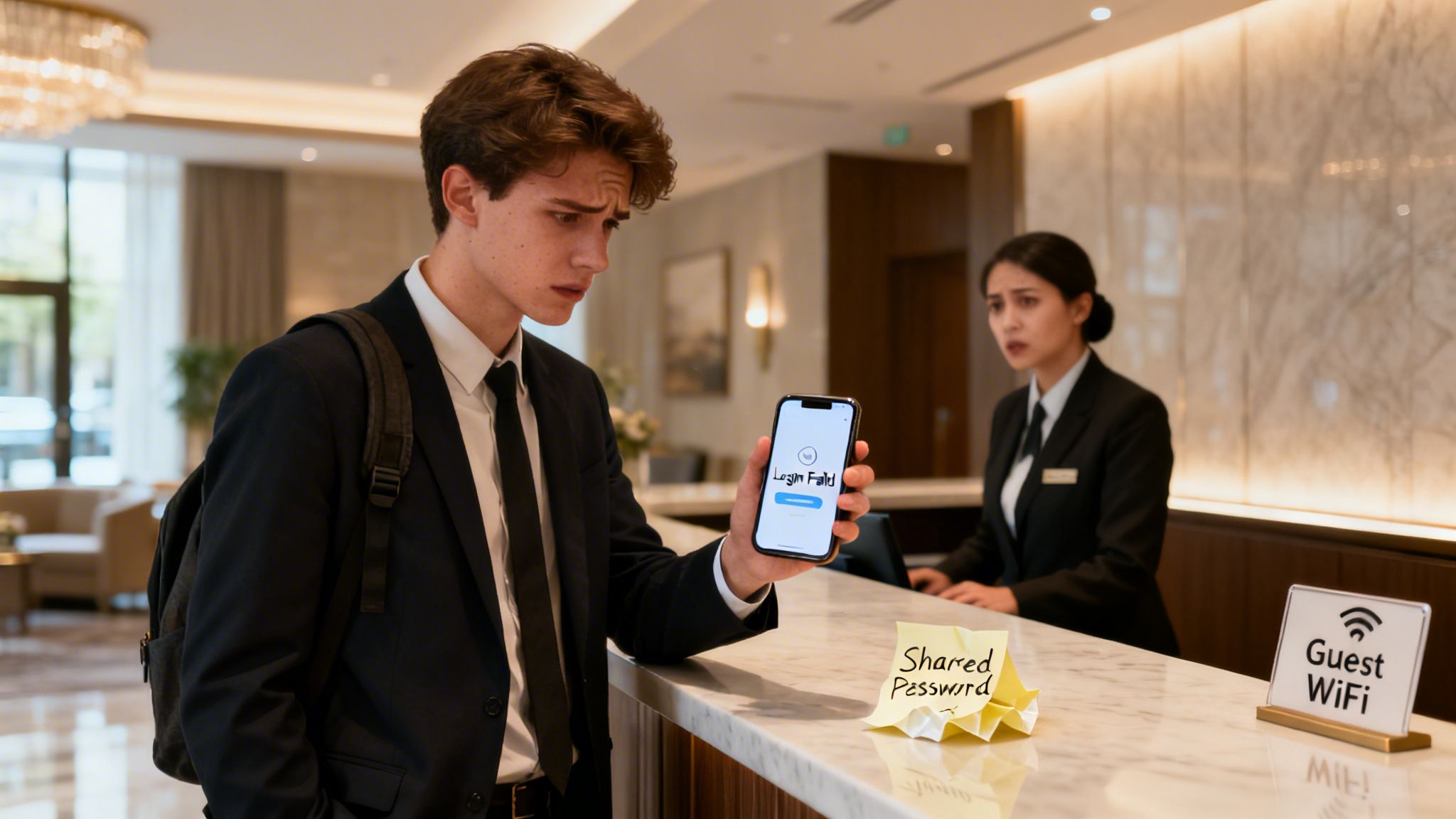
Think about the last time you connected to a guest network. Did you have to ask for a password scrawled on a Post-it note? Or worse, did you battle a painfully slow captive portal that kept crashing your browser? That experience is all too common, and it’s doing more damage to businesses than they realise.
The fundamental problem is that legacy guest WiFi is often just a flat, unsegmented network. In simple terms, this means your guests’ devices are on the same digital playground as your company’s most critical systems—your point-of-sale terminals, internal servers, and employee laptops.
A single compromised guest device, like a phone carrying malware, can suddenly become a launchpad for an attack on your internal network. This isn't just a theoretical risk; it’s a glaring security vulnerability that many businesses are either unaware of or choose to ignore.
The Problem with Shared Passwords
That single, shared password is the weakest link in your entire security chain. Once a password is out in the wild, you have absolutely zero control over who uses it or for how long. Former employees, past visitors, even someone parked in the street outside could potentially be on your network.
This lack of control is a compliance nightmare. Without any individual accountability, it's impossible to trace malicious activity back to a specific person, leaving your business dangerously exposed.
Modern identity-based networking solves this by completely moving away from shared secrets. It treats guest WiFi not as a necessary evil, but as a strategic asset that can be secured, managed, and even monetised.
Frustrating User Experiences Damage Your Brand
Today's visitors have sky-high expectations for connectivity. The United Kingdom is a world leader in public WiFi, with over 53,000 documented hotspots. This, combined with a 25.5% year-over-year increase in median mobile download speeds, has conditioned everyone to expect fast, effortless access wherever they go. You can see more insights about the UK's public WiFi landscape over at broadbandsearch.net.
When your guest WiFi fails to meet this new standard, it reflects poorly on your entire brand. A difficult login can be the very first impression a visitor has of your venue, and a bad one can sour their perception of your business from the outset.
Just think about these common pain points from outdated systems:
- Clunky Captive Portals: Often not mobile-friendly, agonisingly slow to load, and riddled with errors.
- Manual Re-authentication: Forcing returning visitors to log in every single time they walk through your door.
- Inconsistent Performance: Overloaded networks with no traffic shaping mean frustratingly slow speeds for everyone.
These issues turn what should be a welcome amenity into a source of genuine frustration. The solution lies in modern, identity-based systems that offer a seamless, one-time authentication process. This reframes the entire experience, turning your wifi for guests into a tool for improving customer satisfaction and building loyalty. By making the switch, you transform an unmanaged risk into a fully controlled and valuable business service.
How to Design a Future-Proof Guest WiFi Network
Before you even think about plugging in a single access point, let’s be clear: a great guest WiFi network is born from a solid plan, not just good hardware. Without a thoughtful strategy from the get-go, you’re just setting yourself up for a system that’s insecure, can't scale, and will probably be outdated the day it goes live.
The absolute first principle you need to get right is network segmentation. I've seen it countless times—businesses running a "flat" network where a guest's phone shares the same digital airspace as the company's point-of-sale terminals or internal servers. In simple terms, this is like leaving the front door of your office wide open.
This is a massive security blind spot. All it takes is one compromised guest device to give an attacker a foothold into your critical business systems. Proper segmentation, usually done with Virtual LANs (VLANs), builds a digital wall. It completely isolates guest traffic, making sure that whatever happens on the guest network stays on the guest network.
Planning for Capacity and Density
Next up, you have to realistically plan for how many people will use the network and what they'll be doing. The demands of a small coffee shop are worlds apart from a 50,000-seat stadium or a sprawling hotel.
Think about these real-world scenarios:
- High-Density Venues: In places like stadiums or conference centres, you're dealing with thousands of devices all crammed into one space, fighting for bandwidth. This demands more access points (APs), meticulous channel planning to stop them from shouting over each other, and a seriously robust internet connection to back it all up.
- Hospitality: A hotel guest expects flawless coverage everywhere—in their room, the hallway, the lobby, the gym. The design has to account for building materials like thick concrete and steel that just kill WiFi signals, which makes a professional site survey non-negotiable.
- Multi-Site Retail: For a retail chain, the challenge is creating a consistent, repeatable design that works across dozens or even hundreds of unique store layouts, each with its own local internet provider.
A classic mistake I see is underestimating how many devices people carry. It's not just a phone anymore. A single visitor might have a smartphone, a laptop, and a smartwatch all trying to connect. As a rule of thumb, plan for at least 1.5 to 2 devices per person. Trust me, it ensures you have enough headroom when things get busy.
Selecting the Right Hardware
Your hardware choice is what ultimately delivers the experience to your guests, so don't cut corners here. The standards to insist on today are WiFi 6 (802.11ax) and the newer WiFi 6E. These aren't just about faster speeds; they were specifically designed for crowded environments, handling more devices at once with much lower lag.
Investing in WiFi 6 or 6E access points is really about future-proofing. As more and more guest devices come with this tech built-in, your network will be ready to give them the superior experience they expect. For a deeper look at different approaches, you might find our guide on the top guest WiFi solutions useful.
Of course, even the best APs are useless without a solid internet connection feeding them. While the UK's infrastructure is improving—gigabit-capable broadband now reaches over 87% of homes—there are still huge differences from one area to another. Rural spots often see download speeds 26% slower than cities, and the take-up of "full fibre" is still only at 42%. Knowing the local connectivity limits is crucial for planning a service that’s actually reliable.
By getting these core pillars right—segmentation, capacity planning, and modern hardware—you're building a strong foundation. This is how you turn wifi for guests from a simple cost centre into a reliable, secure, and high-performing asset that genuinely improves the visitor experience.
Choosing the Right Guest Authentication Method
Moving away from insecure, shared passwords is the single most important step you can take to modernise your guest WiFi. This isn't just about locking things down; it's a strategic decision. You need to pick an authentication method that fits your venue, your visitors, and what you want to achieve as a business.
The options today run the gamut, from completely invisible connections to login processes that can provide you with a wealth of insight. The right choice really hinges on your specific needs. Are you a massive stadium trying to connect thousands of fans with zero friction, or a boutique hotel that wants to recognise and reward loyal guests? Let's walk through the leading methods to help you decide.
This decision tree can help you visualise which path might be best for your environment, based on key factors like venue density, number of locations, and coverage needs.
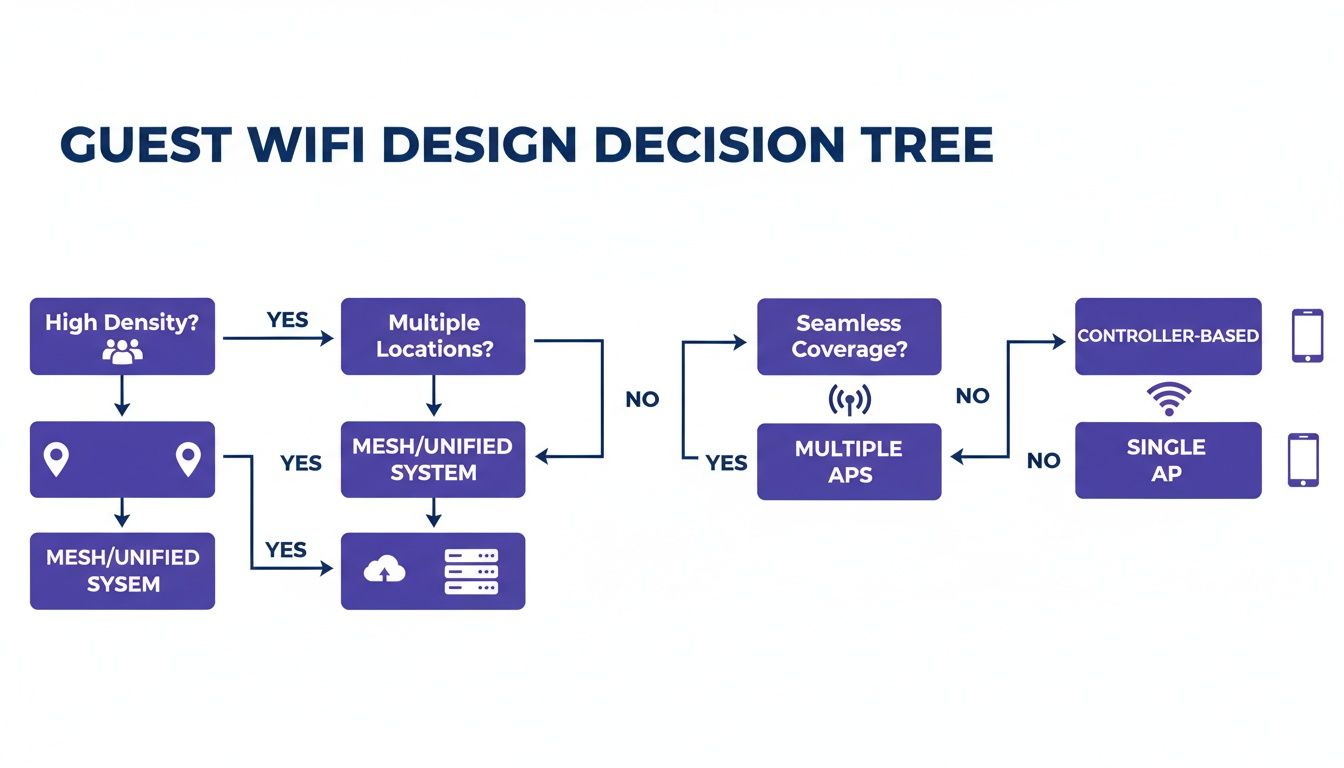
As you can see, different operational challenges point toward specific network designs and authentication strategies. It’s all about making sure the solution fits the problem.
Passpoint and OpenRoaming: The Gold Standard
For the absolute best, most seamless experience, Passpoint (also known as Hotspot 2.0) and its roaming federation, OpenRoaming, are in a class of their own. Just imagine a guest walking into your building and their phone connecting automatically, securely, and instantly. No login screens, no password prompts, no fuss. That’s the magic of Passpoint.
It works because the guest's device has a pre-installed profile or credential, often from their mobile provider. The device uses this to automatically discover and connect to your Passpoint-enabled network. The entire connection is encrypted from the very first packet using robust WPA2/WPA3-Enterprise security.
This isn't just a matter of convenience; it's a fundamental security upgrade. By getting rid of open networks and captive portals, you eliminate the main attack vectors for things like man-in-the-middle attacks. Your guests are protected before they even send a single byte of data.
OpenRoaming takes this a step further by creating a global federation of these networks. If a guest authenticates once at any participating venue—be it an airport, a coffee shop, or a hotel—their device can automatically connect to any of the other 80,000+ OpenRoaming locations worldwide. This truly is the pinnacle of frictionless connectivity.
Secure Email Authentication
While Passpoint delivers an invisible "zero-touch" experience, many businesses actually want to engage with their visitors directly. This is where secure email authentication shines. Instead of a clunky, open captive portal, you present guests with a simple, secure form where they log in with their email address.
This method strikes a fantastic balance between user-friendliness and business value. For the visitor, it’s a quick and familiar process. For your business, it’s a brilliant way to collect clean, accurate first-party data with full consent.
This data can then be used to:
- Understand visitor behaviour: Track how often people visit, how long they stay, and identify your most loyal customers.
- Personalise the guest journey: Send a "welcome back" message or a targeted offer for their next visit.
- Enrich your CRM: Add real-world visit data to your customer profiles.
If you want to understand how far we've come from the old-school logins, take a look at our guide on what a captive portal is and why this modern approach is so much better.
iPSK: Home-Like Simplicity
What about places where you need to give individuals their own private network bubble, like in student housing, build-to-rent (BTR) properties, or serviced offices? For that, the answer is Individual Private Shared Key (iPSK), sometimes called a Private Pre-Shared Key (PPSK).
With iPSK, you generate a unique WiFi password for each resident or tenant. When they connect, they are automatically segmented into their own secure, private virtual network (VLAN). This clever technology gives them the simplicity of a home WiFi network—where all their personal devices can see each other—but with the enterprise-grade security that keeps them completely isolated from their neighbours.
It's the perfect solution for long-stay environments, giving residents a secure and private space for their smart TVs, speakers, and printers while preventing them from seeing or accessing anyone else's devices.
To help you weigh these options, here's a quick comparison of the modern authentication methods we've discussed.
Guest WiFi Authentication Method Comparison
Choosing the right authentication method is a balancing act between ease of use, security, and your business objectives. This table breaks down the key characteristics of each approach.
| Authentication Method | User Experience | Security Level | Ideal For |
|---|---|---|---|
| Passpoint/OpenRoaming | Completely seamless, zero-touch. Device connects automatically. | Highest (WPA3-Enterprise) | Large public venues, transport hubs, stadiums, and city-wide deployments aiming for maximum convenience. |
| Secure Email Login | Quick and familiar. Requires email entry via a captive portal. | High (Secure login form) | Retail, hospitality, and any business wanting to gather visitor data for marketing and analytics. |
| iPSK/PPSK | Like a home network. One-time setup with a unique password. | High (Private VLAN per user) | Multi-tenant environments like student housing, apartments (BTR), and serviced offices. |
Ultimately, the best method is the one that aligns with your specific environment and goals.
Finally, remember that a modern guest WiFi platform can also handle staff access on the very same infrastructure. By integrating with directory services like Microsoft Entra ID or Google Workspace, you can issue unique certificates to employee devices. This enables true zero-trust, passwordless access for your team, while guests connect using their preferred method—all managed from a single, unified platform.
Practical Deployment Guides for Leading Network Vendors
Right, enough with the theory. Let's get down to brass tacks and see how this actually works on the ground. This is where we connect the design concepts to the hardware you already have in your buildings.
The good news? You don't need to rip out your entire network or budget for a massive server installation. We'll walk through some vendor-specific 'recipes' for deploying a secure, identity-based guest WiFi network. The whole idea is to simply point your existing equipment to a cloud-based RADIUS service, getting you live in weeks, not months.
Cisco Meraki Guest WiFi Configuration
If you're running on Cisco Meraki, you already know how much they value simplicity, and integrating a modern guest WiFi service is no different. The entire setup is handled right inside your familiar Meraki dashboard.
You'll start by creating a new SSID specifically for your guests. The magic happens under Wireless > Configure > Access control. Instead of a basic pre-shared key, you’ll change the association to Enterprise with my own RADIUS server.
This is the spot where you'll plug in the details from your cloud authentication provider:
- The RADIUS server IP addresses
- The shared secret (think of it as a password between Meraki and the RADIUS server)
- The correct port numbers, which are typically standard
Once you save that, any device trying to join this new guest SSID gets handed off to the cloud platform for authentication. Whether it’s a seamless Passpoint connection, an email login, or an iPSK, Meraki is now set up to simply pass the request over for a secure thumbs-up or thumbs-down.
Aruba Instant On and Enterprise Guest WiFi
Aruba's networking gear, from the powerful Aruba Central for large enterprises to the more straightforward Instant On for smaller sites, is perfectly capable of handling advanced guest authentication. The setup follows a very similar logic, all centred around creating an Enterprise-grade SSID.
Inside the Aruba configuration portal, you'll define a new wireless network and set the security type to WPA2-Enterprise or WPA3-Enterprise. This is the key step that tells your access points that a proper RADIUS server is now in charge of who gets on the network.
I’ve found the key setting to watch for is "RADIUS accounting". It's absolutely essential to enable this and point it to your cloud RADIUS provider. This is what allows the system to send session data—like when a user connects and disconnects—which is vital for analytics, security logging, and any compliance requirements you might have.
After you've entered the primary and secondary RADIUS server details and the shared secret, your Aruba network is good to go. The access points will now enforce whatever authentication policies you've set up in your cloud platform, bringing modern security to your guest WiFi service.
Ruckus, Mist, and UniFi Deployments
While the user interfaces look different, the core process for plugging in a secure guest WiFi platform is remarkably consistent across other big names like Ruckus, Mist (by Juniper), and Ubiquiti UniFi.
No matter the vendor, the pattern is the same:
- Create a New WLAN/SSID: First, you’ll set up a new wireless network just for your guests.
- Select Enterprise Security: Next, choose WPA2/WPA3-Enterprise to switch on RADIUS authentication.
- Add RADIUS Server Details: Point the network towards your cloud provider by entering the server IPs and shared secret they give you.
- Enable RADIUS Accounting: And finally, don’t forget to turn on accounting so you can get all that valuable session data for visibility and analytics.
In Ruckus SmartZone, for instance, you'll create an "Authentication and Accounting" service under the AAA Servers configuration. Over in the Mist dashboard, this is managed within the WLAN settings by specifying an external RADIUS server. For UniFi, you just need to create a RADIUS profile in the controller settings, which you can then apply to your guest WiFi network.
These straightforward recipes show that rolling out a sophisticated, secure guest network doesn't have to be a headache. By pairing your existing hardware with a cloud-based authentication platform, you can deliver a world-class experience without a massive engineering project.
Navigating Privacy Compliance and Network Security
Offering guest WiFi isn't just about handing out internet access anymore. The moment you start collecting any information, even just an email address, you've stepped into the world of data management. This move makes you a data controller, and that comes with some serious legal and ethical weight.
You’re now responsible for navigating a complex web of privacy rules, with GDPR compliance being a major one. This means you need a clear, legal reason for collecting personal data, which usually boils down to getting explicit consent. This is where a modern authentication platform is essential. It can present your terms and privacy policy upfront, before anyone connects, capturing and recording their agreement in a transparent way.
This simple step transforms your network from an unmanaged, high-risk environment into one that's fully compliant and secure. You get fine-grained control and a clear picture of who is using your network and the consent they've given.
Building a Secure-by-Design Network
Security can't be an afterthought bolted on at the end. It needs to be woven into the very fabric of your guest WiFi network from the ground up. One of the biggest pitfalls of old-school open networks and captive portals is that the initial connection is unencrypted. This leaves your visitors wide open to man-in-the-middle attacks, where a bad actor could easily intercept their traffic.
This is exactly where technologies like Passpoint are a game-changer.
- Encrypted from the start: Passpoint leverages robust WPA2/WPA3-Enterprise security, meaning the connection is fully encrypted before a single byte of data is sent.
- No more open networks: It completely gets rid of the need for insecure, open SSIDs, which are a favourite target for attackers.
Think of it like this: a traditional open network is like shouting your login details across a crowded room and just hoping no one is listening in. Passpoint, on the other hand, creates a private, secure tunnel for your guests the very moment they connect, protecting them and your business.
Getting this foundational security right is critical. If you're looking to dive deeper into building a multi-layered defence, our guide on creating a secure wireless network has more insights for you.
Granular Control and Access Revocation
A modern wifi for guests platform also equips you with powerful tools to manage who has access to your network and for how long. This becomes particularly vital in scenarios where staff might use the same physical network infrastructure as your guests.
Think about when an employee leaves your company. Their access to all company systems, including the WiFi, needs to be shut off instantly. By integrating your WiFi platform with a directory service like Microsoft Entra ID or Google Workspace, access is tied directly to their employment status. The second they are removed from the main directory, their WiFi access is automatically revoked.
This kind of automated, immediate control is simply impossible to achieve with shared passwords. It guarantees that only currently authorised people can get onto your network, massively cutting the risk of unauthorised entry from former staff. This granular control gives you peace of mind, knowing your network is both welcoming to guests and locked down from threats.
Turning Guest WiFi into a Business Growth Engine

Once your secure, modern guest network is up and running, the real fun begins. It’s time to stop thinking about your wifi for guests as a simple cost centre and start seeing it for what it is: a powerful engine for business growth. This shift in mindset moves you beyond just providing a utility and into a new realm of understanding and engaging with your visitors.
The key to this whole operation is the first-party data you collect during the secure authentication process. Unlike the black hole of an anonymous shared password, a secure login via email or a social profile gives you consented, actionable insights. Suddenly, you can see patterns in visitor behaviour that were completely invisible before.
You can finally start getting answers to the questions that really matter:
- How long do first-time visitors stay compared to regulars?
- Who are my most frequent and loyal customers?
- Which days of the week are busiest, and with which customer segments?
- What's the average time between visits for a typical customer?
This isn’t just abstract data; it’s a direct window into the guest experience. It's no surprise that a high-performance guest WiFi network can significantly help to increase guest satisfaction and boost loyalty, turning a basic amenity into a real strategic advantage.
From Data to Personalised Journeys
The real value is unlocked when you start connecting this WiFi data to your other business systems, like your Customer Relationship Management (CRM) platform or marketing automation tools. By integrating these systems, you can graduate from generic, scattergun marketing to highly personalised and timely guest engagement.
Imagine a loyal customer who visits your coffee shop every Friday morning. The moment they connect to the WiFi on their next visit, your system recognises them. You could automatically trigger an email with a "Thanks for being a regular" offer, like a free pastry with their next coffee. It's a small, personalised touch that creates a memorable experience and builds genuine brand loyalty.
In retail, this is a game-changer. A store manager could get an alert that a specific customer has been browsing for over an hour. They could then trigger a notification to a sales associate's tablet, prompting them to offer assistance and potentially close a high-value sale.
The market for these capabilities is blowing up. The guest WiFi market in the UK, valued at USD 209 million in 2024, is projected to climb to USD 308.09 million by 2033. This growth is being fired up by venues realising that analytics can turn simple connectivity into actionable business intelligence—a crucial factor for operators in hospitality, retail, and healthcare.
Measuring Your Return on Investment
To prove the value of your investment, you absolutely have to track the right metrics. It's time to move beyond technical stats like uptime and focus on Key Performance Indicators (KPIs) that directly link your guest WiFi to actual business outcomes.
Here are the kinds of metrics that show the true business impact of your modern guest WiFi platform.
| KPI Category | Metric to Track | Business Impact |
|---|---|---|
| Visitor Loyalty | Return Visit Rate | Measures customer retention and the effectiveness of loyalty-building efforts. |
| Guest Engagement | Dwell Time | Indicates how long visitors are staying, which can correlate with spending and satisfaction. |
| Marketing Effectiveness | Offer Redemption Rate | Tracks how many guests act on targeted promotions sent via the WiFi platform. |
| Operational Efficiency | Footfall by Time of Day | Helps optimise staffing levels and operational hours based on actual visitor traffic. |
By keeping a close eye on these KPIs, you can build a crystal-clear business case. You'll be able to show exactly how your guest WiFi contributes to increased customer lifetime value, higher engagement, and a healthier bottom line.
Frequently Asked Questions
When you start thinking about modernising your guest network, the same questions tend to pop up time and time again. We hear them from IT admins, marketing teams, and venue operators alike. So, let's get straight to it and answer some of the most common ones we encounter.
How Does OpenRoaming Work Without a Password?
It might feel a bit like magic, but OpenRoaming is built on a solid, secure standard called Passpoint. Think of it this way: a visitor’s device already has a credential, often from their mobile provider. Your Passpoint-enabled network can automatically recognise and trust that credential.
The device then connects seamlessly, and the entire connection is encrypted from the get-go using robust WPA3-Enterprise security. The result is a completely automatic and highly secure experience for your guests, without them ever seeing a login screen or typing a password.
How Difficult Is It to Switch from a Captive Portal?
You’d be surprised how straightforward it is to move on from a basic captive portal. Modern platforms are specifically designed to work with the network hardware you already have from vendors like Meraki, Aruba, or UniFi.
It’s a configuration change, not a "rip and replace" project. The process usually involves setting up a new, secure SSID and pointing its authentication to a cloud-based service. Most businesses can get this done in just a few weeks.
One of the biggest wins here is closing a major security hole. On an old, open network, a single compromised guest device could potentially see and access sensitive corporate systems. Modern systems make it easy to implement proper network segmentation, which completely isolates guest traffic from your internal network.
What Data Can I Legally Collect from Guests?
Using a secure authentication method like an email login lets you collect valuable first-party data, but the key is to do it with full transparency and consent. This is a non-negotiable.
Modern authentication platforms are built for this. They ensure your terms of service and privacy policy are presented clearly before a guest connects. Guests must actively agree, which establishes your legal basis for collecting data points like email addresses, visit frequency, and dwell time, keeping you fully compliant with UK GDPR.
Can I Provide Different Access for Guests and Staff?
Absolutely, and this is where a unified platform really shines. You can manage multiple access levels on the exact same physical network hardware.
Here's a common scenario:
- Guests connect automatically via Passpoint or provide an email for access.
- Staff use zero-trust, certificate-based authentication by integrating with your company directory, like Entra ID.
This setup delivers secure, passwordless access for your employees and a welcoming, seamless experience for visitors—all managed from a single, central dashboard.
Ready to transform your guest WiFi from a security risk into a strategic business asset? Purple provides a secure, identity-based networking platform that works with your existing hardware to deliver passwordless access for guests and staff. Explore our solutions and book a demo today.