What Is My WiFi Security Type and How Do I Improve It?
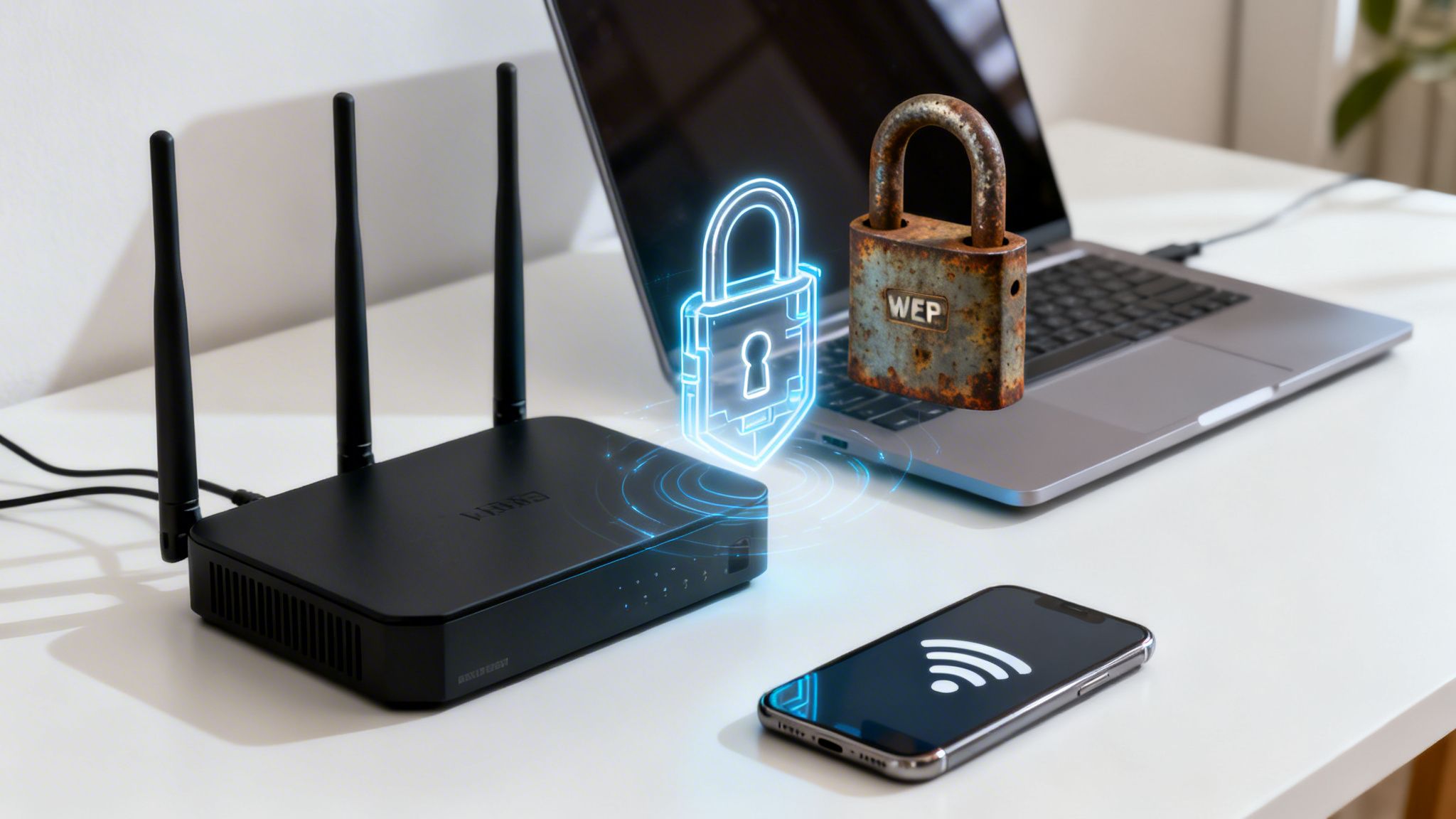
Your Wi-Fi security type is the specific protocol, like WPA2 or WPA3, that scrambles your network's data to keep it private. It’s the digital lock on your network's front door. Knowing which one you’re using tells you if you've got a modern smart lock or an old padlock that can be picked in seconds.
Why Your WiFi Security Type Matters
Think of your Wi-Fi security protocol as the gatekeeper for your entire online life. It's the first and most important line of defence against anyone trying to snoop on your activity, steal your passwords, or hijack your internet connection for their own dodgy purposes.
Without a strong protocol, your data is just floating through the air, wide open for anyone with the right tools to intercept it. The type of security you use dictates how tough it is for an unauthorised person to break in.
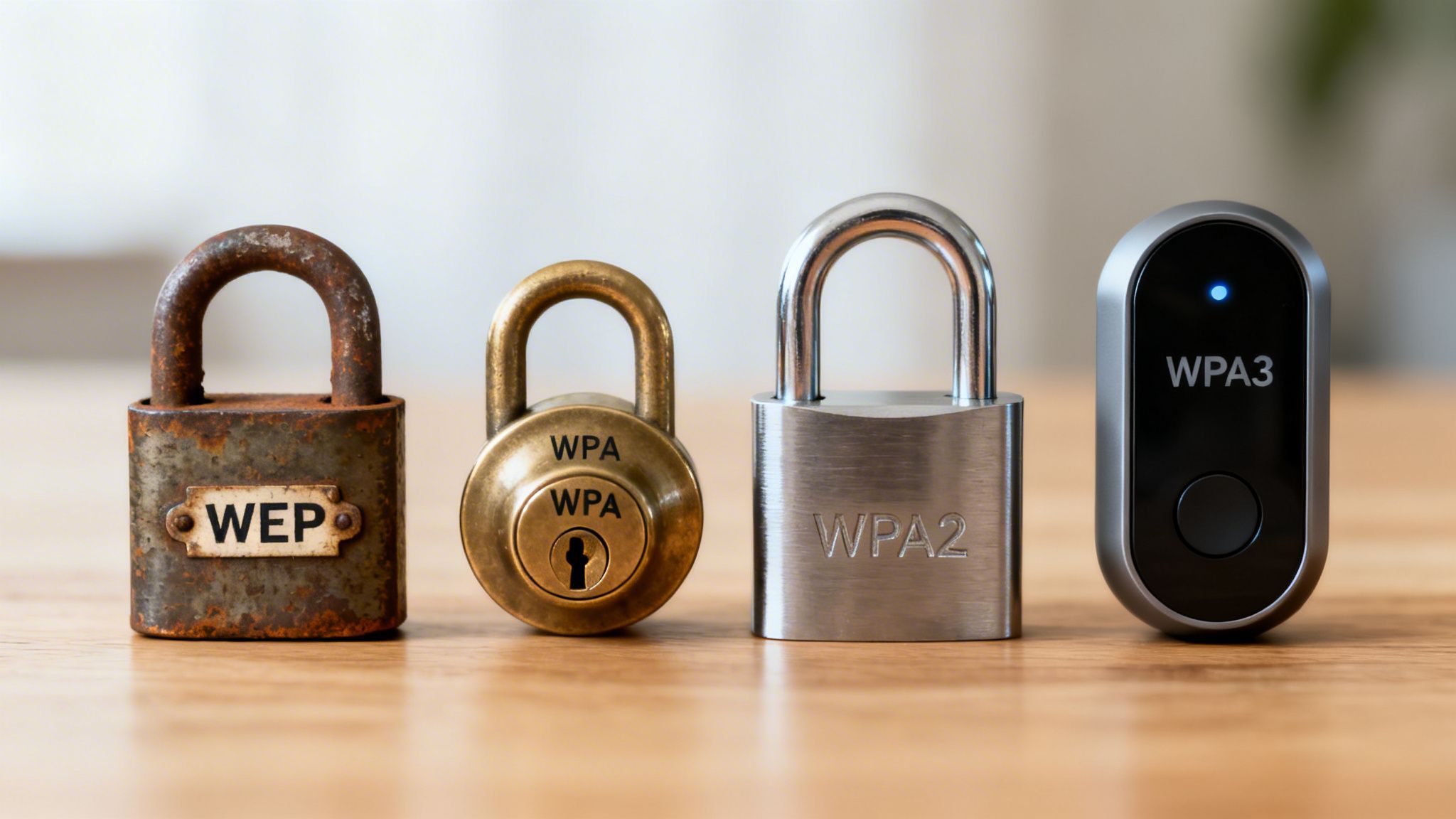
Older standards like WEP (Wired Equivalent Privacy) are notoriously weak and can be cracked in minutes with freely available software. In stark contrast, modern standards like WPA3 are built to fend off sophisticated attacks, giving you robust protection for your sensitive information.
For a deeper dive into the fundamentals of wireless networks, you can learn more about what Wi-Fi is and how it works. Understanding this foundation helps put into perspective why these security layers are so critical.
WiFi Security Protocols at a Glance
To really get a handle on the differences, it helps to see how each protocol stacks up against the others. Every new version was created specifically to patch the security holes found in the one before it, creating a clear timeline from dangerously weak to incredibly strong.
Running an outdated protocol doesn't just put your data at risk; it can also drag down your network's performance and reliability.
The table below gives you a quick comparison, showing why it's so important to use the right one for protecting your home or business network today.
As you can see, anything less than WPA2 is essentially leaving your digital door unlocked. For any new device or network setup, WPA3 should be your go-to standard.
The Story of Wi-Fi Security From WEP to WPA3
To really get a handle on your current Wi-Fi security, it helps to know how we got here. The history of wireless security isn’t just a dry timeline of acronyms; it's a fascinating cat-and-mouse game between the people designing the standards and those trying to break them. This evolution tells a clear story, with each new protocol built directly on the hard lessons learned from the last one's failures.
This journey shows exactly why clinging to an old security standard is like using a flimsy, decade-old lock on your front door. Each new version represents a massive leap forward in keeping your private information safe from prying eyes.
WEP: The Original but Flawed Protector
When Wi-Fi first started catching on in the late 1990s, it needed a way to offer the same kind of privacy you'd get from a wired connection. The answer was WEP (Wired Equivalent Privacy), rolled out in 1997. For a little while, it seemed good enough, but its name turned out to be more of a hope than a reality.
Unfortunately, WEP was riddled with fundamental design flaws from the start. Security researchers quickly found gaping holes that made it shockingly easy to crack. With freely available tools, a determined attacker could break into a WEP-protected network in just a few minutes. It was the digital equivalent of a screen door—it looked like a barrier, but it offered no real protection.
By the early 2000s, WEP was considered completely broken. Any network still using it today is effectively wide open, broadcasting its data for anyone nearby to intercept and read.
WPA: The Necessary Stopgap
The security community needed a fix, and they needed it fast. In 2003, the Wi-Fi Alliance released WPA (Wi-Fi Protected Access) as an interim solution. WPA was cleverly designed as a patch that could run on existing WEP hardware with a simple firmware update, making the transition much smoother for everyone.
Its key feature was the Temporal Key Integrity Protocol (TKIP), which constantly changed the encryption keys used for data transfer. This made it much harder to crack than WEP's single, static key. Still, WPA was only ever meant to be a temporary bridge to a more robust solution, and it still carried some of WEP's underlying weaknesses.
WPA2: The Long-Standing Standard
A year later, in 2004, the true successor arrived: WPA2. This became the gold standard for network security for well over a decade. WPA2 swapped out the temporary TKIP for the far more secure Advanced Encryption Standard (AES), a powerful encryption method trusted by governments and major corporations around the globe.
For years, WPA2 provided solid, reliable protection for billions of users. It was a huge improvement and remains the absolute minimum level of security you should accept on any network. But as time went on, even this trusty deadbolt began to show its age. New attack methods, like the KRACK (Key Reinstallation Attack) vulnerability found in 2017, proved that even WPA2 wasn't invincible.
WPA3: The Modern Defence
Finally, in 2018, the Wi-Fi Alliance introduced WPA3. Built for today's threat landscape, WPA3 tackles the weaknesses of its predecessor head-on. It brings several crucial improvements to the table:
- Stronger Encryption: It uses more resilient, state-of-the-art security protocols.
- Protection Against Brute-Force Attacks: It makes it much harder for attackers to guess your password by trying thousands of combinations.
- Individualised Data Encryption: On open networks (like in a coffee shop), it encrypts the connection between your device and the router, even without a password.
WPA3 is the high-tech smart lock of Wi-Fi security. It provides the robust protection needed to secure personal and business networks against today's sophisticated attacks, making it the clear choice for any modern setup.
How to Check Your Current Wi-Fi Security Settings
Alright, you've got the theory down about how Wi-Fi security has evolved. Now for the practical bit: checking what your own network is actually using. Don't worry, you don't need to be a tech whizz to figure this out. The steps are slightly different depending on what device you're using, but the info is always just a few clicks or taps away.
Knowing your security type is the first step towards making sure your digital front door is properly locked. This quick check will tell you exactly where you stand.
This diagram shows the journey of Wi-Fi security, charting the course from the flimsy early days of WEP right through to the robust protection offered by WPA3 today.
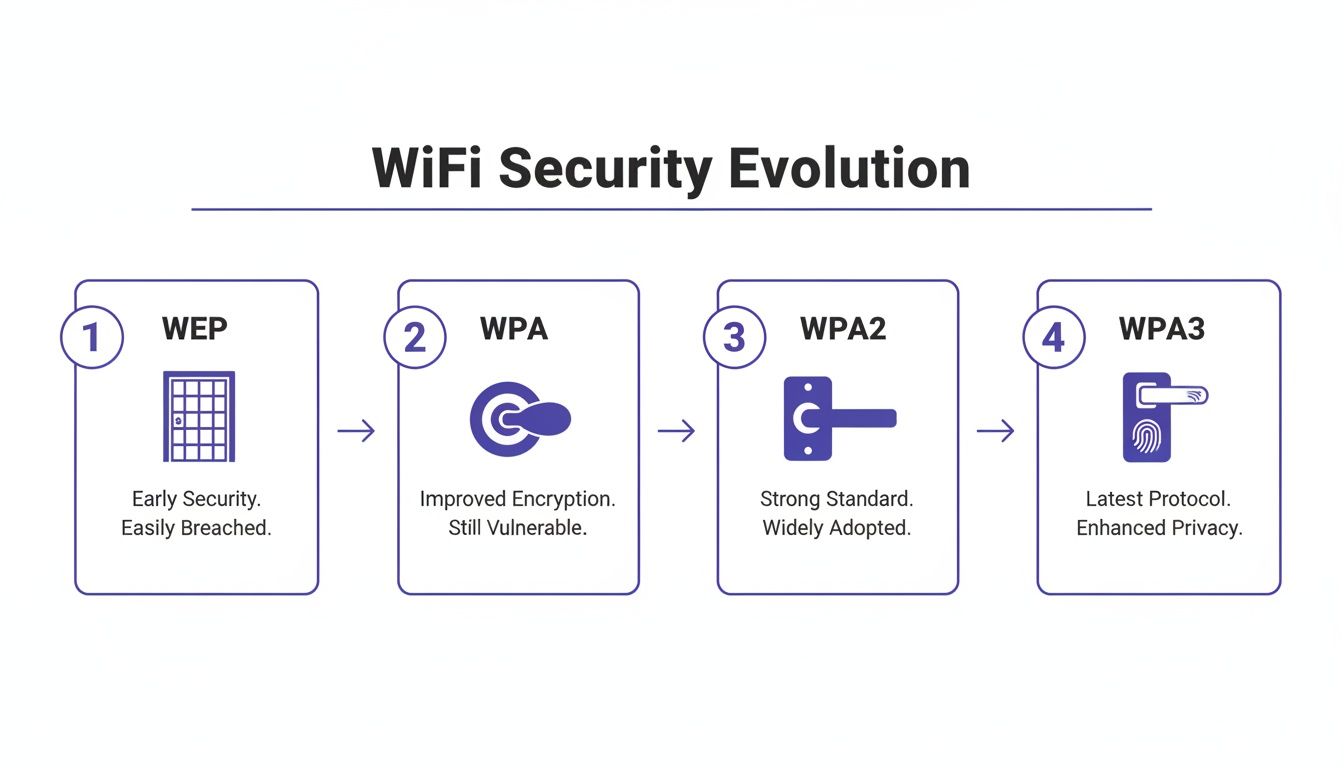
You can clearly see how each new protocol was a much-needed upgrade, patching the vulnerabilities of whatever came before it with stronger defences.
Finding Your Security Type on Different Devices
Most modern operating systems make it pretty simple to see the properties of your current wireless connection. Here’s a quick guide for the most common platforms out there.
On a Windows PC:
- Look for the Wi-Fi icon in your system tray (usually down in the bottom-right corner of the screen).
- Click it and find the network you’re connected to.
- Click on Properties right underneath the network name.
- A new window will pop up. Scroll down until you see the "Properties" section, and you'll find the Security type listed there (e.g., WPA2-Personal).
On a Mac:
- Press and hold the Option (⌥) key on your keyboard.
- While still holding it, click the Wi-Fi icon in the menu bar at the top of your screen.
- A more detailed dropdown menu will appear. Just look for the "Security" field to see your current protocol.
This simple check can reveal weaknesses you might not even know you have. For example, a shocking 69% of broadband users in the UK have never changed their router's default Wi-Fi password. This kind of oversight makes them an easy target, especially when combined with outdated security. It's no surprise that phishing—often delivered over unsecured Wi-Fi—was responsible for 93% of successful breaches against UK businesses. You can find more stats about UK cybersecurity vulnerabilities on Heimdal Security.
Checking on Mobile Devices
Your phone and tablet also give you easy access to this crucial info, usually tucked away in the detailed settings for the network.
On an iPhone or iPad (iOS):
- Open the Settings app and tap on Wi-Fi.
- Find the network you're on (it'll have a blue checkmark next to it).
- Tap the little blue "i" (information) icon to the right of the network name.
- The next screen shows network details, but iOS doesn't explicitly name the protocol. Instead, it flags older standards like WEP or WPA with a "Weak Security" warning. If you don't see a warning, you're almost certainly on WPA2 or WPA3.
On an Android Device:
- Go to Settings, then tap Network & internet (or something similar, like Connections).
- Tap on Wi-Fi.
- Tap the gear icon or the network name itself for the one you're connected to.
- Under the network details, you’ll see a field labelled Security, which will clearly state your protocol (e.g., WPA2-PSK).
By following these simple steps, you can quickly find out your Wi-Fi security type and decide if it's time to take action to better protect your network.
Why Weak Wi-Fi Security Is a Major Business Risk
For any business, from a high-street café to a multi-site hotel, your Wi-Fi network is far more than a simple amenity; it's a critical piece of your infrastructure. Thinking of your Wi-Fi security as just another IT setting is a dangerous mistake. An outdated protocol like WEP or WPA isn’t just a technical detail—it's an open invitation to attack your reputation, your compliance, and your bottom line.
Just imagine a guest’s financial details getting swiped while they use your public Wi-Fi to check their bank balance. Or picture an attacker slipping into your internal network through a staff connection that’s still using an old, easily cracked password. These aren't far-fetched scenarios; they are the real-world consequences weak security brings to your doorstep.
The Real Costs of a Breach
The fallout from a network breach goes way beyond the immediate technical headaches. For a business, the damage can be catastrophic, hitting several key areas at once.
- Data Breaches and Financial Loss: Attackers can intercept sensitive customer data, including payment info and personal details, leading directly to theft and fraud.
- Reputational Damage: A publicised breach can shatter customer trust overnight. Once the word is out that your network is unsafe, customers will stay away, permanently tarnishing your brand.
- Regulatory Non-Compliance: Businesses have a legal duty to protect consumer data under regulations like GDPR. A breach caused by poor security can result in crippling fines and legal action.
- Operational Disruption: A compromised network can be used as a launchpad for further attacks, potentially crippling your point-of-sale systems, internal communications, and other essential operations.
Providing secure wireless access isn't just an IT checkbox; it's a fundamental part of customer trust and operational integrity. It shows you’re committed to protecting the very people who keep your business running.
The Growing Threat Landscape
The need for solid network security has never been more urgent. The UK market for wireless security is booming, driven by a sharp rise in cyber threats targeting businesses just like yours. As attackers get smarter with cloud misconfigurations and sophisticated phishing schemes, an unsecured Wi-Fi network becomes the easiest way in.
While securing your business network is paramount, it’s also important to recognise that customers are more security-savvy than ever. They’re asking questions like, 'Is Hotel WiFi Safe?' This growing awareness means a strong security posture is now a competitive advantage, signalling to your customers that you take their safety seriously.
For a comprehensive look at how modern solutions protect business networks, you can explore this overview of data and security measures.
Upgrading to Enterprise-Grade and Passwordless WiFi
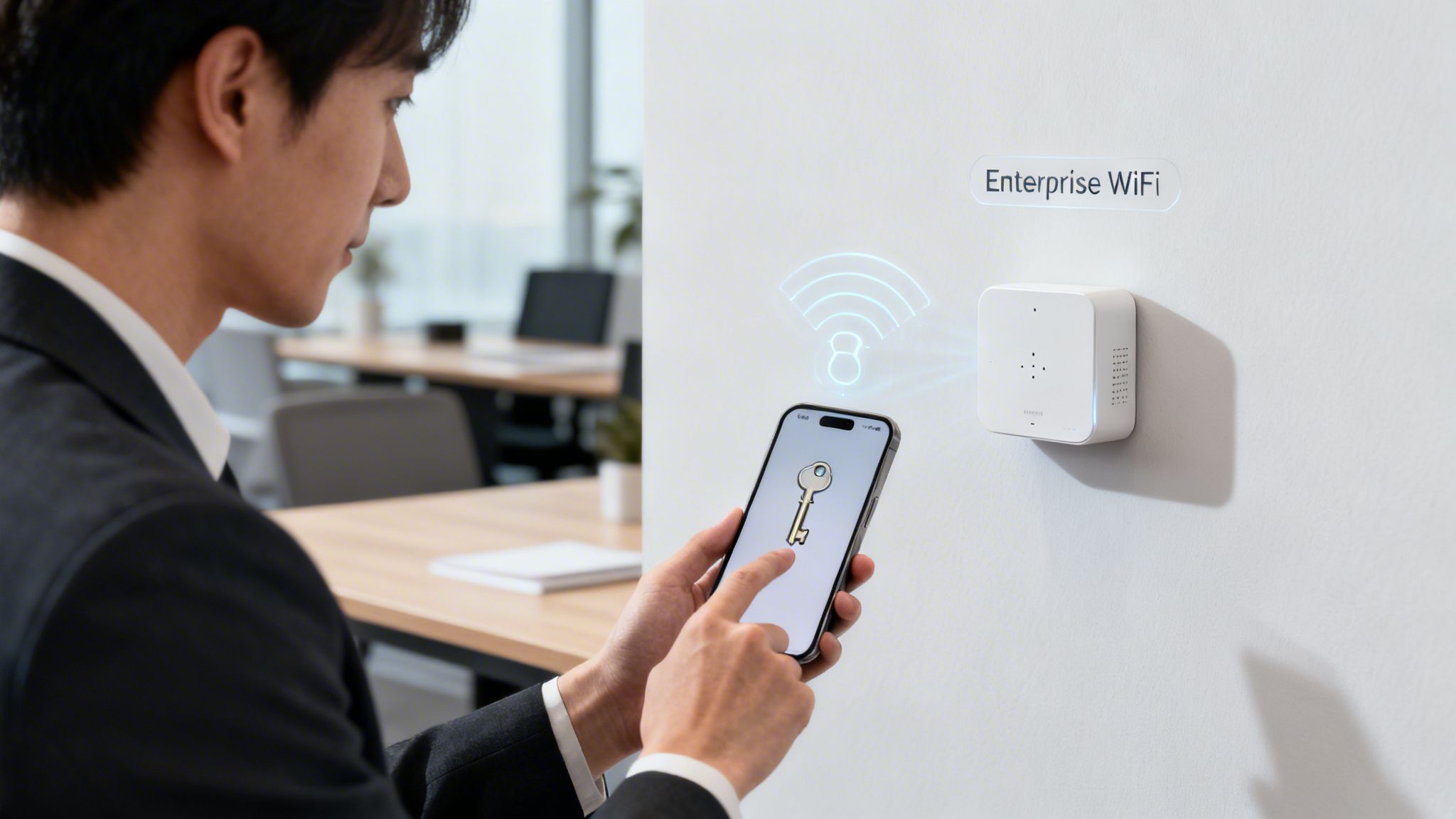
For any business, relying on a single, shared password—even a strong WPA2 or WPA3 one—is like giving every staff member and visitor the same key to the front door. If that key is ever lost, copied, or falls into the wrong hands, your entire premises are at risk. It’s time to move beyond this outdated model and embrace a higher standard of network protection.
Enterprise-grade solutions take a fundamentally different approach. They replace that single, shared password with individual, managed access for every single user and device. This shift is crucial for protecting sensitive business data and providing a secure environment for both staff and customers.
Introducing WPA3-Enterprise
The most robust protocol available today is WPA3-Enterprise. Think of it less like a single key and more like a sophisticated digital keycard system for your entire organisation. Instead of one password for everyone, each user gets their own unique credentials to get onto the network.
This is all made possible by a framework called 802.1X authentication, which acts as a bouncer at the door of your network. When a user tries to connect, 802.1X checks their credentials against a central directory (like a staff list) to confirm they are who they say they are. If they’re an authorised employee, they get in; if not, access is denied.
This individual authentication model is a game-changer. If an employee leaves, their access can be instantly revoked without needing to change the password for the entire company, solving a massive security headache.
For a detailed look at this powerful security framework, you can learn more about the benefits of 802.1X authentication in our dedicated guide.
The Move to Passwordless Access
The next evolution in network security removes the password from the equation entirely. Passwordless Wi-Fi uses technologies like digital certificates to grant access. For staff, this means their company-issued laptop or phone is automatically trusted and connected securely based on a unique certificate, eliminating the need to remember or type any passwords at all.
This approach offers several huge advantages:
- Superior Security: It removes the risk of phishing, credential stuffing, and brute-force attacks that target passwords.
- Frictionless User Experience: Legitimate users connect automatically and securely without any manual steps.
- Simplified Management: IT teams can manage access centrally, issuing and revoking certificates with ease.
When considering the move to more advanced security solutions like enterprise-grade and passwordless Wi-Fi, a deeper understanding of secure authentication protocols is essential.
Seamless and Secure Guest Connections
This advanced technology also transforms the guest experience. Modern platforms use Passpoint (also known as Hotspot 2.0) and OpenRoaming to create a totally seamless connection process. A visitor can authenticate once, and their device will automatically and securely connect on all future visits, and even at other participating venues worldwide.
This method provides an encrypted, secure connection from the very first packet, protecting guests from the risks of open public networks. Platforms like Purple use this certificate-based technology to deliver secure, passwordless access for staff and fully encrypted connections for guests, solving the fundamental security challenges that plague traditional Wi-Fi deployments.
Frequently Asked Questions About Wi-Fi Security
We've covered a lot of ground on security protocols and how to check your network's setup. Still, you might have a few questions bubbling up. Let's tackle some of the most common ones to help you move forward with confidence.
Getting these points straight is the final step before you can go from just knowing what Wi-Fi security you have to actively improving it.
Is WPA2 Still Safe Enough for Me to Use?
For most home users, WPA2 is still okay—as long as it’s paired with a very strong, unique password. Think of it as a decent lock on your front door. It provides a solid baseline of protection against casual snoops and common threats.
However, it's not foolproof. WPA2 has known weaknesses, especially against offline "brute-force" attacks. This is where an attacker captures your connection data and then uses powerful computers to guess your password over and over again, without you even knowing. That’s why a long, complex, and random password is non-negotiable if you're sticking with WPA2.
For any business, especially one offering guest Wi-Fi, the conversation is different. Relying on a shared WPA2 password is no longer a viable option; it's a liability. Upgrading to a modern solution like WPA3-Enterprise or a passwordless system is essential to protect your business and your customers.
While WPA2 was the gold standard for over a decade, the security landscape has evolved. The current best practice is WPA3, which was specifically designed to fix WPA2's shortcomings.
What Should I Do If My Router Only Supports WEP or WPA?
If your router is stuck on the ancient WEP or the outdated WPA protocols, you have a major security problem that can't be patched or fixed. These old standards have well-known flaws that can be cracked in minutes with free, easily downloadable software.
There is only one sensible course of action here: replace your router immediately. The risk is simply too high to ignore.
Using a router that only supports WEP or WPA is like locking your front door with a piece of string. It might look secure from a distance, but it offers zero real protection. Modern routers that support WPA2 and WPA3 are inexpensive, widely available, and the massive security boost you get is well worth the small investment.
How Is Passwordless Wi-Fi More Secure?
Passwordless Wi-Fi instantly ramps up security by getting rid of the single weakest link in almost every network: the shared, human-memorable password. We all know how it goes—passwords get stolen, shared carelessly, guessed, or cracked with brute-force attacks.
Instead of a single password for everyone, passwordless systems authenticate each user or device individually and automatically, often using unique digital certificates installed on the device. It’s like giving every person their own unique, unforgeable keycard instead of a single key that can be copied.
This zero-trust approach delivers several huge wins:
- No Shared Secret: There’s no single password that, if compromised, blows the doors open to your entire network.
- Individual Accountability: Access is tied directly to a specific user or device, making it simple to see who is doing what.
- Instant Revocation: If a device is lost or an employee leaves, you can revoke their individual access in a click, without disrupting anyone else.
This method ensures only authorised users and devices can get on your network, creating a far more secure and manageable environment for everyone.
Ready to move beyond outdated passwords and offer seamless, secure access? Purple provides a global, identity-based networking platform that replaces clunky captive portals with passwordless, certificate-grade access for guests and staff. Learn more about how you can secure your venue and delight your users at https://www.purple.ai.